Ask someone their sign and you'll get one word. I'm a Pisces and that's true. Anyone who's looked at my whole chart will tell you my Capricorn placements explain a lot more about how I work. One placement gives you a vibe. The full chart gives you the story.
Your website works the same way. "It looks fine" is the sun sign. It's one quick read and it tells you almost nothing about whether the site is doing its job. The website metrics that matter are the rest of the chart. In 12+ years and 100+ sites worked on, I've learned to hear "it looks fine" as a sign that nobody's checked in a while.
The Short Answer
The website metrics that matter are the ones tied to your business: inquiries and bookings, where those leads come from, where people drop off and how visible you are in search. How the site looks, total traffic, bounce rate on its own and social followers don't tell you whether your site is working.
If You're Reading This Because It's Your Site
Reading more isn't the hard part. La Jugada is $47 and it tells you which layer this is actually sitting in.
Get it, $47What Website Metrics Actually Matter?
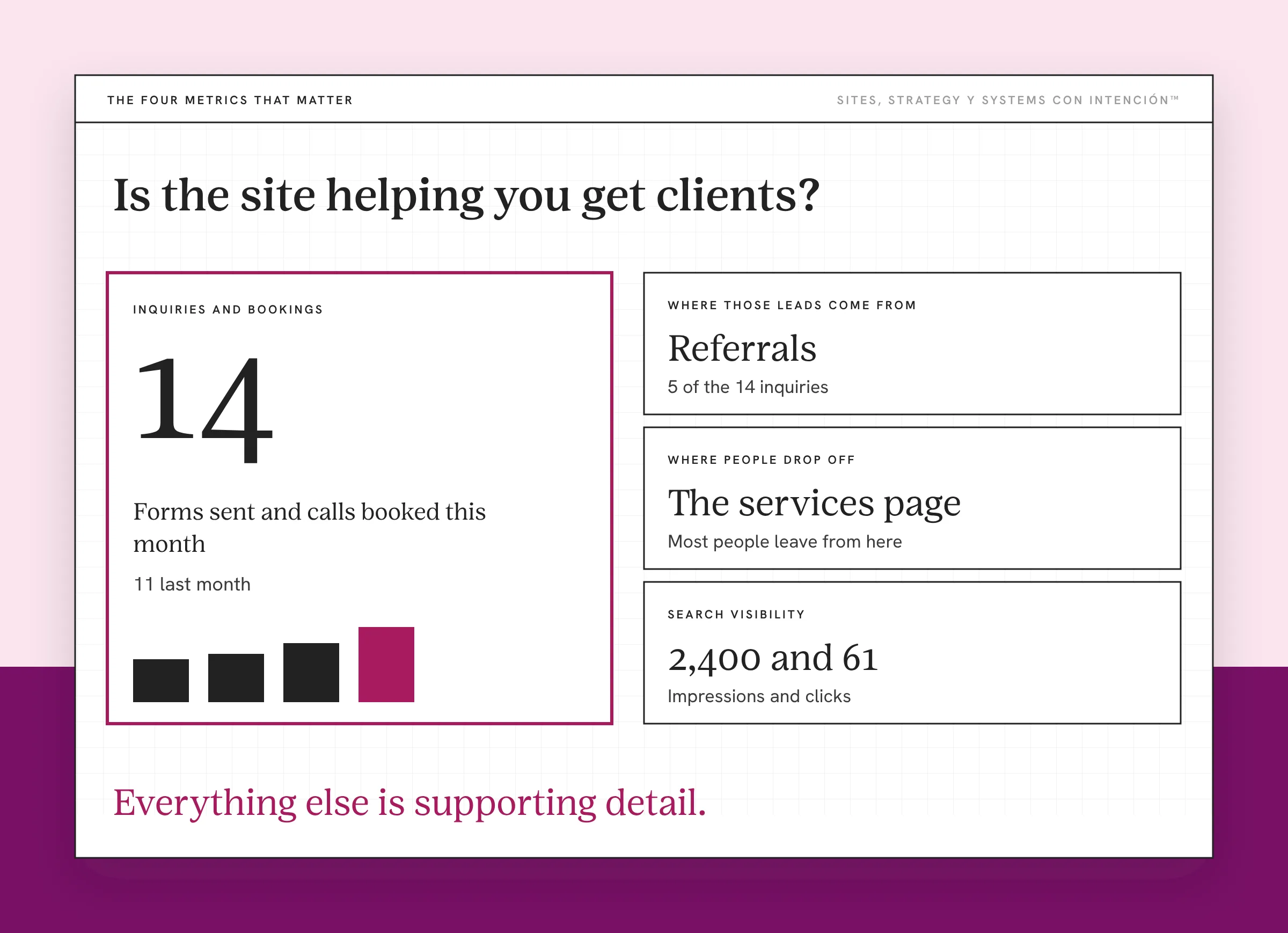
The metrics that matter answer one question: is the site helping you get clients? Everything else is supporting detail.
For a service business, four metrics answer that question better than any other metric in your analytics. I'll walk through each one below, then the numbers that look important and don't mean much on their own.
When I review a site, I don't start with how it looks. What I check first depends on what's going wrong. A full review covers load time, navigation, the hero, the homepage as a whole, SEO, technical and on-page. Then the individual pages, the UX and whether it works functionally at all. And last, whether any of it is connected to anything else. Looks come up along the way. They're never where I start.
Why Isn't "It Looks Fine" Good Enough?
There are two problems with "it looks fine."
The first is that looking fine and working are different things. Owners judge the site by how it looks to them. They know the business, they know where everything is and they've seen the site a hundred times, which makes it hard to review their own site objectively. Your visitors are seeing it for the first time and deciding in seconds whether to stay.
The second is that "fine" can mean nobody's checking. If nobody looks at the numbers, "fine" is a guess. Ay Dios, a site can look fine for years while the contact form sends every message into a void. That's the cost of ignoring small website problems.
A fine-looking site can cost you clients every month without anyone noticing. The only way to know is to look at what it's doing.
I saw this on a client site that looked fine. The numbers showed people were leaving on the services page, which is the page that's supposed to move them toward hiring you. Once we fixed that page, more people moved on to the next step.
What Are the Four Metrics That Tell You If Your Site Works?
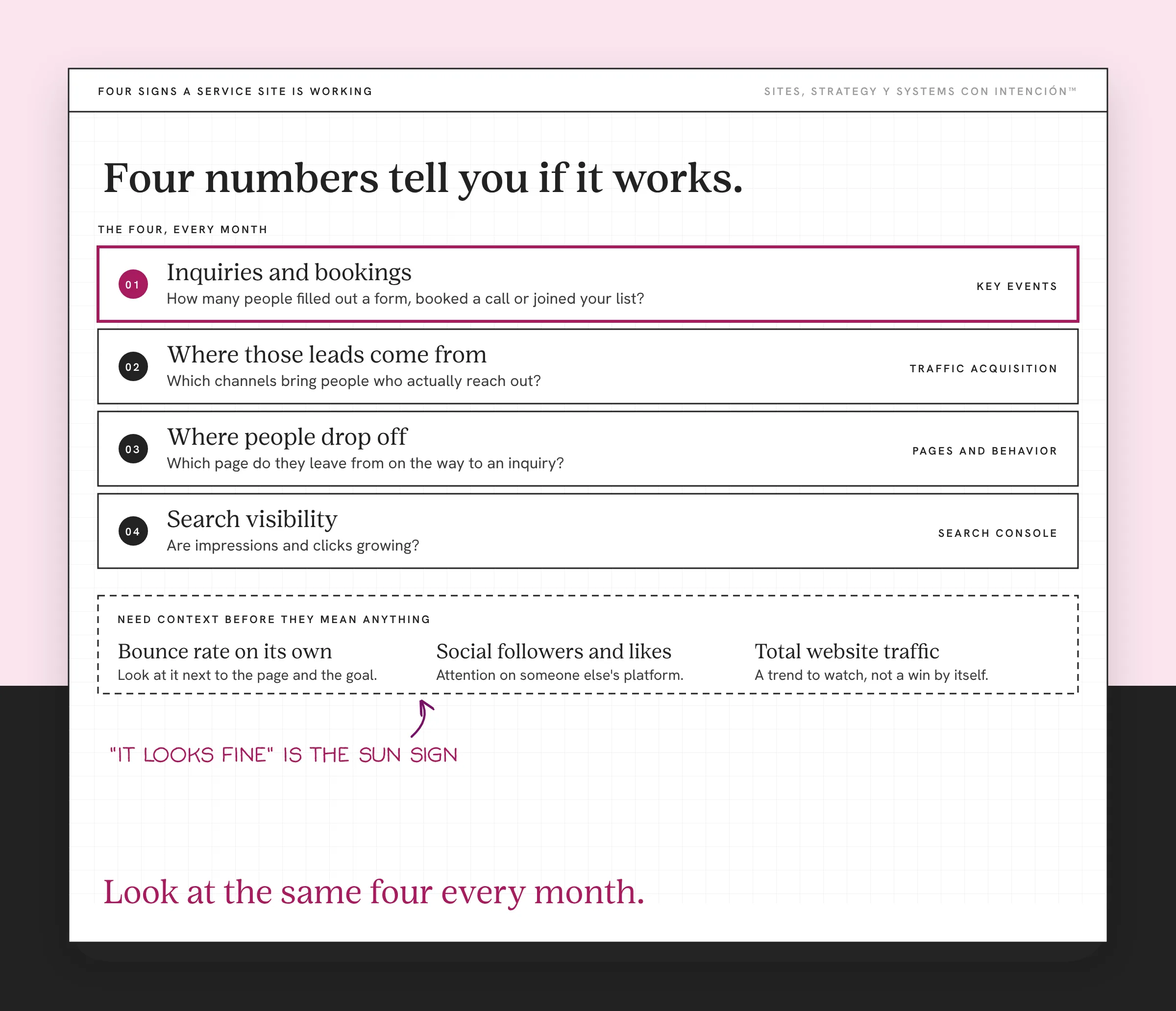
These four are the website KPIs to track every month. Everything else in your analytics either explains one of them or doesn't matter much yet.
Inquiries and Bookings
This is the main one. How many people filled out your form, booked a call or signed up for your list this month? If you track nothing else, track this. In Google Analytics 4, set these up as key events so every other report can tie back to them. The setup lives in what to track in GA4 for a service business.
Then look at your conversion rate: the share of sessions that include that action. Read it next to who's converting. A rising rate full of wrong-fit inquiries isn't a win. A steady rate full of good-fit ones usually is. If you want to know what a normal number looks like, that's its own post on what a good website conversion rate is.
Where Those Leads Come From
The traffic acquisition report in your analytics tells you where visitors come from: organic search, social, email, referrals or ads. Add your inquiries to that report and you'll see which channels bring people who reach out. Oye, the channel with the most visitors isn't always the one with the most clients. Referrals are a good example. In my experience, referred leads close faster and with less convincing than any other source.
This is also where you find out whether your social media is sending people to your site at all. For how the two work together, see website vs social media.
Where People Drop Off
Every site has a path to an inquiry. Visitors land on a page, read a few more and either reach out or leave. Look at which pages people leave from. Then watch visitor behavior to see where in that path they stop. If lots of people read your services page and almost nobody clicks through to contact you, that page is the first place to look.
This is the metric that tells you what to fix first, so you're not stuck making small changes that don't make a difference. Mapping the whole path is covered in how a website conversion funnel works.
Search Visibility
Google Search Console shows what people searched to find you, how often you showed up and how often they clicked. Impressions tell you whether Google shows your pages. Clicks tell you whether your titles make people want to visit. Mija, if your impressions are growing and your clicks aren't, your titles and descriptions need work.
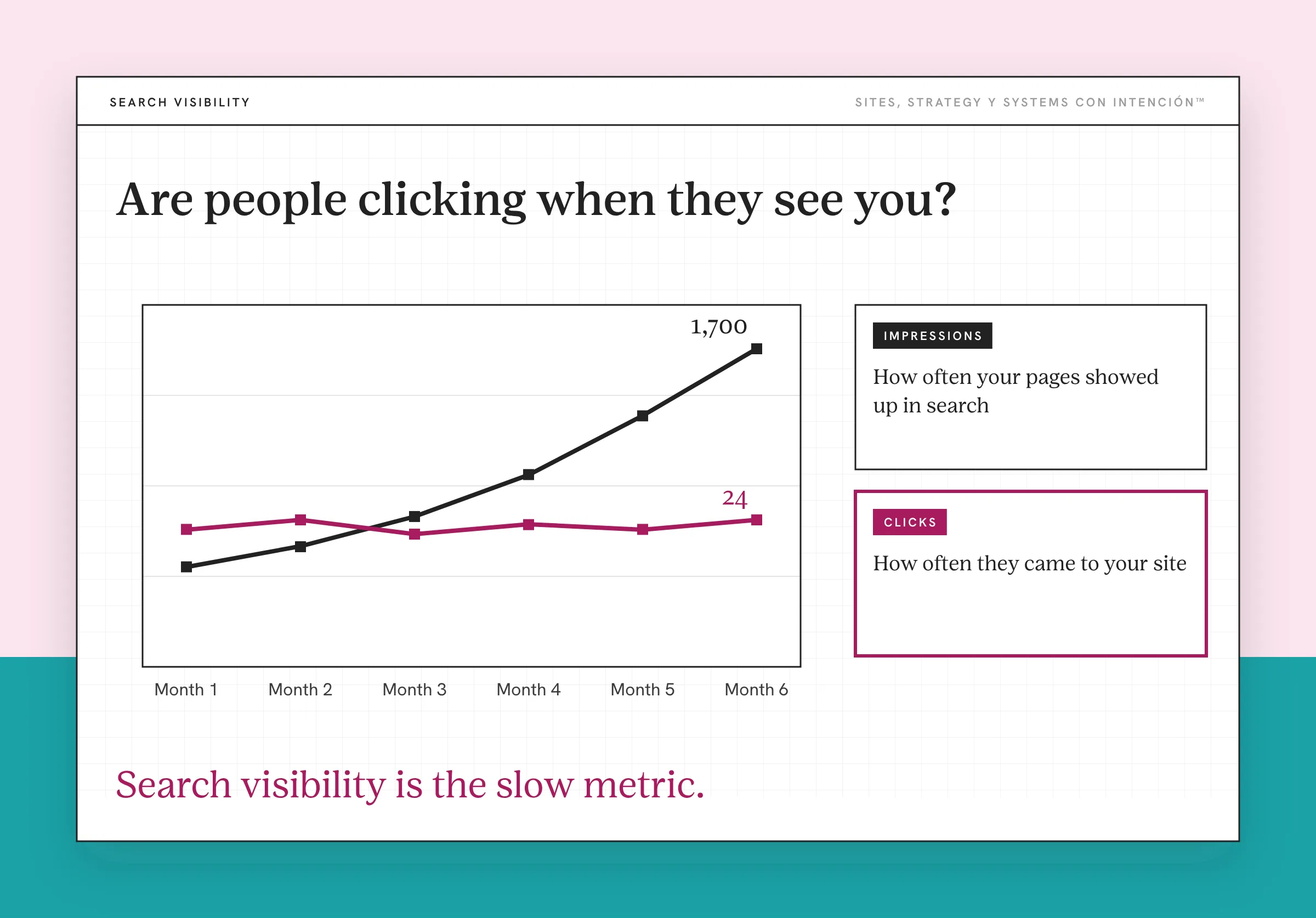
Search visibility is the slow metric. It can take months to move, since Google's SEO Starter Guide says some changes show up in a few hours and others take several months. Eso sí, it's the one that keeps bringing people to you after you stop posting.
Which Numbers Don't Mean Much on Their Own?
Some numbers feel important and don't tell you much without context. Nielsen Norman Group calls them vanity metrics.
Bounce rate on its own. In GA4, Google defines bounce rate as the percentage of sessions that weren't engaged. A session counts as engaged if it lasts longer than 10 seconds, has a key event or includes two or more page views. On a blog post someone read and left, a high bounce rate can be fine. On your services page, it deserves a look. The number only means something next to the page and the goal.
Social followers and likes. These live on someone else's platform and measure attention there. They don't tell you whether your site is turning visitors into clients. A post with a thousand likes that sends five people to your site and zero inquiries didn't help your business the way it feels like it did.
Total website traffic sits in the same category. It's worth watching as a trend, but traffic that goes up while inquiries don't isn't a win.
What Should You Do When the Numbers Look Off?
The four metrics tell you where to look. What you do next depends on what they show.
If inquiries are flat, start with the site itself. Check whether it covers the questions a visitor needs answered before they'll reach out and whether the page needs more clarity or more content. It's also worth reading what your site says about your business now, because a site can keep describing a business you used to run.
If your blog brings visitors and no inquiries, compare the posts that bring buyers with the ones that don't. Before you set a goal for any of these numbers, decide what website success looks like for your business.
When the numbers point to a bigger problem, an audit comes before anything else. Audit or redesign is the first call to make and knowing what most audit checklists miss keeps the findings from ending up in a folder. If inquiries are growing, check whether your site is ready to scale when the volume doubles. If every fix you make touches the whole site, the business may have outgrown its website. That's the point where optimizing stops paying.
How Often Should You Look?
Monthly works for most service businesses. Pick a date, put it on your calendar and look at the same four metrics each time, so reading your analytics stops feeling overwhelming. A simple dashboard in your analytics tools makes it faster:
- How many inquiries and bookings came in?
- Where did they come from?
- Where did people drop off?
- How did search impressions and clicks change?
Compare each month with the one before and with the same month last year. You're looking for trends. One slow week doesn't mean anything. Treating it like it does is what makes checking your analytics stressful. Watching the trend line keeps website strategy calm.
Once you've done this a few times it takes less than half an hour, wepa. That's how "it looks fine" turns into something you know.
Think of it as reading the whole chart. "It looks fine" is the sun sign. The four metrics are the placements that explain what's going on. Skip them and you're running the business without the numbers, making decisions about the site that's supposed to bring you clients based on a vibe.
Key Takeaways
- "It looks fine" is one quick read. It doesn't tell you whether your site is working.
- The website metrics that matter are inquiries and bookings, where those leads come from, where people drop off and search visibility.
- Bounce rate on its own, social followers and total traffic need context before they mean anything.
- Check the same four metrics monthly and look at the trend.
If my site looks fine, where is it losing people?
La Digital Rueda is free, takes about two minutes and asks a few questions about your site, your content and your backend. Then it shows you where the pressure is.
Want more like this in your inbox? Off the Clock is my week-ish newsletter about websites, systems and burnout-free business.
Frequently Asked Questions
What website metrics should I track?
Start with inquiries and bookings, then track where those leads come from, which pages people leave from and how visible you are in search. Those four tell a service business whether its site is working. Add other metrics only when they answer a specific question you have about your goals.
How do I know if my website is working?
Look at whether it brings in inquiries and whether that number is growing over time. Check which channels send people who reach out and where visitors drop off before contacting you. A site can look great and still not work, so the numbers matter more than how the site feels to you.
Is bounce rate an important metric?
Only with context. In GA4, bounce rate is the share of sessions that weren't engaged, meaning they lasted 10 seconds or less, had no key event and viewed only one page. A high bounce rate on a blog post can be normal. On a services or contact page, it's worth investigating.
What are vanity metrics?
Vanity metrics are numbers that feel good but don't show whether your business is growing, like total page views, social followers or likes. They can be useful as trends. On their own, they don't tell you whether your site is bringing in clients.
How often should I check my website metrics?
Monthly is enough for most service businesses. Look at the same metrics each time and compare them with the previous month and the same month last year. Check more often during a launch or paid campaign, when you need to react quickly.
About the Author