When Justin Timberlake went solo, he didn't hand the NSYNC choreography to a new set of backup dancers and call it a new era. Justified got its own sound, its own producers and its own stage. The talent was the same, but the old setup couldn't hold where he was going.
That's what outgrowing your website feels like from the inside. You raised your prices, you changed who you serve and you added offers you're proud of. Then you send someone your link and you wince a little, because the site still sounds like the business you launched. After 12+ years and 100+ sites, I can tell you that a site built for an older version of you won't catch up to the new one with a few edits once the pages themselves are wrong.
The Short Answer
If you're outgrowing your website, ask whether what changed can be fixed one piece at a time. If the pages are right and only what's on them is old, update them. If your offers, prices and audience all moved, start over: strategy first, then structure, then design, so the new site describes who you are today.
If You're Reading This Because It's Your Site
Reading more isn't the hard part. La Jugada is $47 and it tells you which layer this is actually sitting in.
Get it, $47What Does It Mean When You're Outgrowing Your Website?
It means the business moved and the site stayed. The navigation was built around the services you sold at launch. The copy speaks to the client you had back then. Your prices, your process and your proof all describe a business that doesn't exist anymore.
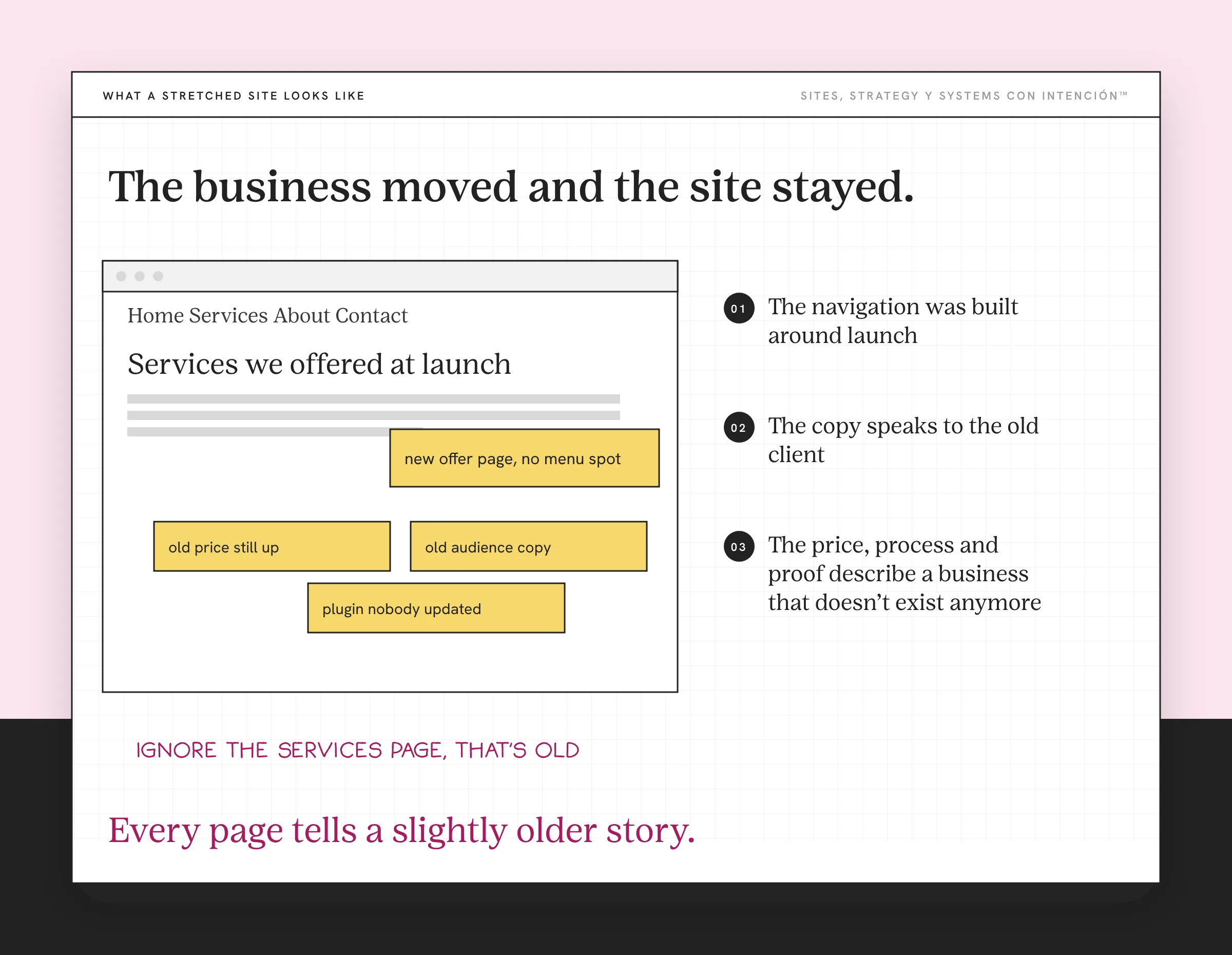
Nothing has to be broken for this to be true. The pages load and the form works. The problem is that every page tells a slightly older story and visitors believe the story they read. If you want a gut check on that story, what your website says about your business walks through it.
I've worked with a client who changed nearly everything at once: new offers, a new price, a new audience and a new niche. Any one of those changes could've been an update to a page or two. All of them together meant the old site was describing a different business, o sea, a business that wasn't theirs anymore.
You'll feel it before you can name it. There's a little hesitation before you share the link. Maybe you've caught yourself saying "ignore the services page, that's old" on a sales call. Qué vergüenza. It happens to founders who are really good at what they do. If that's you, a website that doesn't reflect your brand is a close cousin of this problem.
When Won't Patching Save a Site You've Outgrown?
Every patch lands on a structure built for the old business, so small website changes don't make a difference. You add a page for the new offer and the navigation has nowhere to put it. The homepage gets rewritten for a new audience while every page behind it still talks to the old one. Then the prices go up and the site's whole flow still sells like you're the budget option. That's when your website starts hurting your business.
Patches also stack. I've seen this exact pile on a client site: plugins nobody had updated, pages patched one at a time, old offers and prices still up and broken pieces nobody had noticed. None of it was big on its own. Together, it meant the site couldn't be fixed one piece at a time anymore. The cost of ignoring small website problems shows how fast that pile grows.
The patching cycle has a cost you don't see on an invoice. Every fix takes longer than the last one and the site still doesn't sound like you when you're done. Ay, nena, I've watched founders spend a year on a site they were going to replace anyway. If keeping up with it already feels like a second job, a website that needs constant updates goes deeper on that.
When Is Starting Over the Right Call?
A redesign that keeps the old structure is the NSYNC choreography with new backup dancers. It looks fresher for a minute. Then the new offers still don't fit the menu, the new audience still lands on pages written for someone else and you're patching again within months. Y ahí está el problema.
Starting over means you stop asking "how do I fit the new business into this site?" and start asking "what does the business I run now need a site to do?" Those questions lead to very different sites. The first one keeps every old decision. The second one only keeps what still earns its place.
I'll say it plainly: if the changes can't be fixed one at a time, start from scratch. Keep your best content, your domain and the URLs that rank, which Search Console's performance report will show you. Let go of the structure, the page list and the copy that were built for someone you used to be, sin miedo. That's how a rebuild earns what you spend on it.
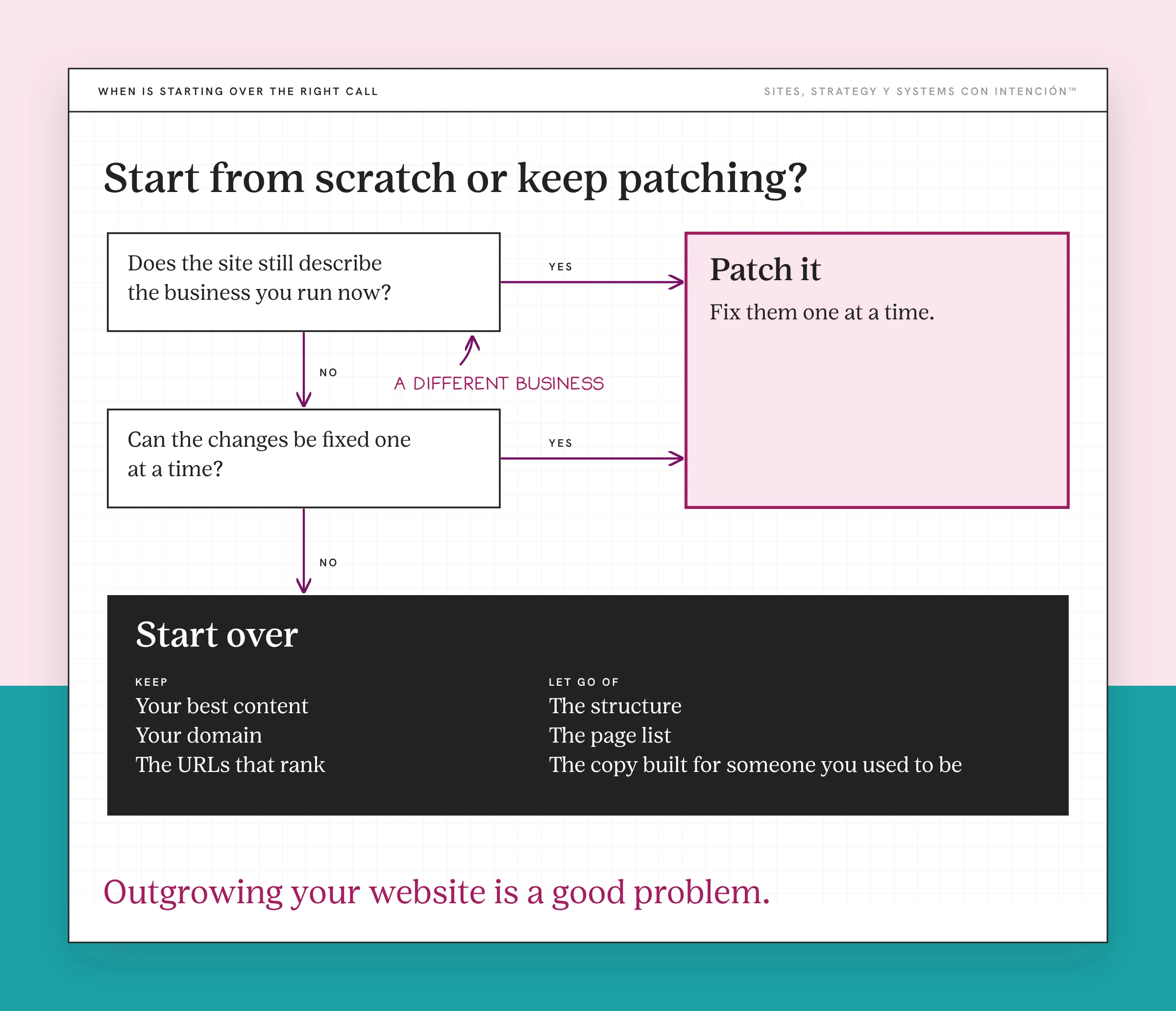
If you're still deciding whether you're there or whether a few targeted fixes would do, when to stop optimizing and rebuild your website walks through that call in more detail. That call sits at the center of a lot of website strategy decisions.
What Does Starting Over Actually Look Like?
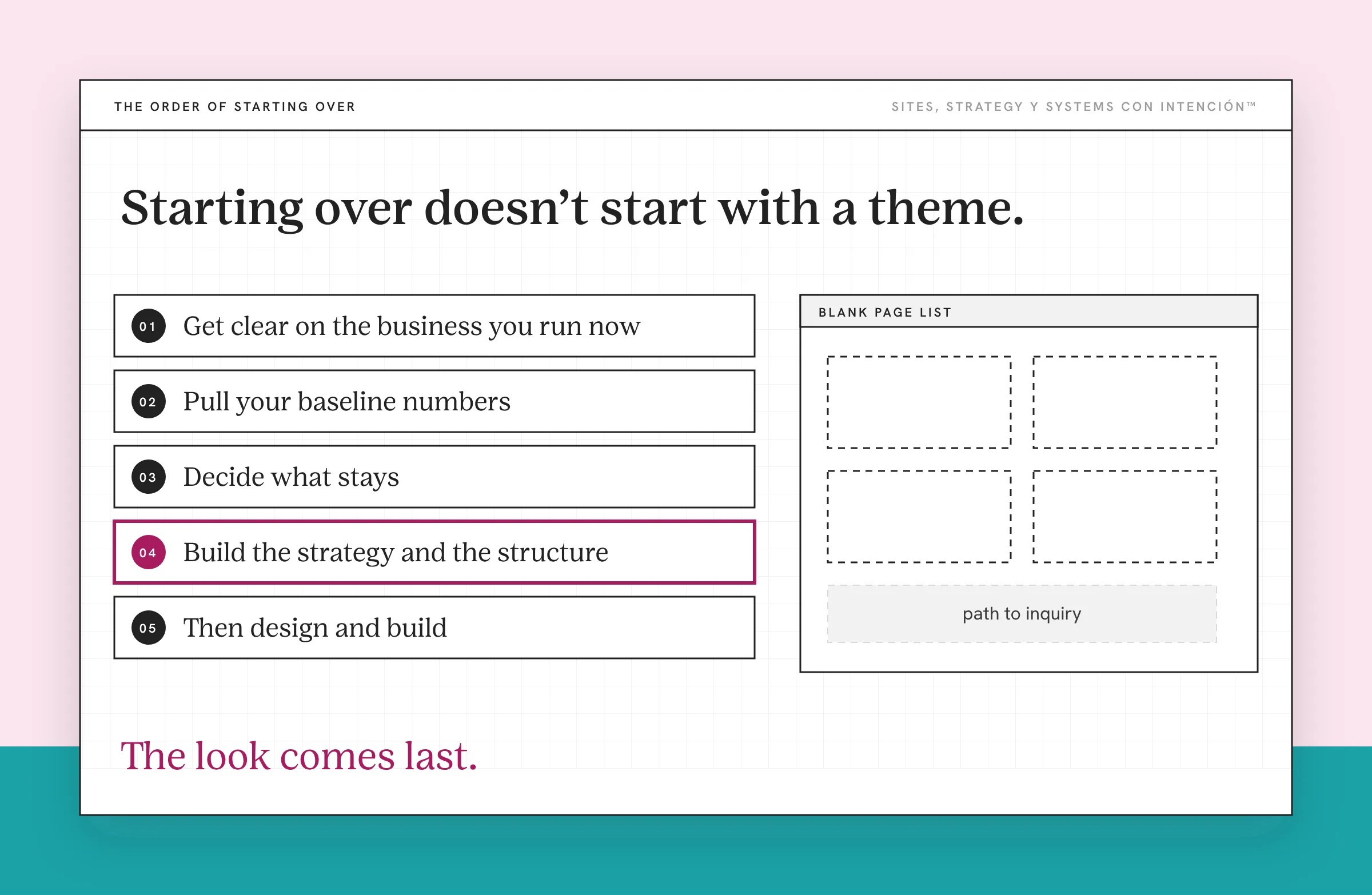
Starting over doesn't start with a theme. It starts with the business.
- Get clear on the business you run now. Your offers, prices, audience and process today, written down before anyone opens a design tool.
- Pull your baseline numbers. Know your inquiries, where your best leads come from and where people drop off, so you can tell later whether the new site worked. The website metrics that matter covers which ones.
- Decide what stays. Content that still fits, the domain, the pages that rank and the testimonials that still describe what you do. An audit helps here. Website audit vs redesign explains how the two work together.
- Build the strategy and the structure. Positioning first, then the page list and the path someone takes from first visit to inquiry, then the messaging on each page. If you're changing how pages are organized, restructuring a website covers the mechanics.
- Then design and build. The look comes last because it has to carry everything above it.
- Protect what you've earned in search. If any URLs change, set up permanent redirects. Google's guidance on site moves with URL changes is the reference I'd follow.
Build for the business you're becoming too. If you're planning to add a team, a new offer or a bigger price point in the next year or two, the new site should have room for it. Is your website ready to scale? helps you plan for that.
What Changes When You Start Over?
When I started a client's outgrown site over, it changed what the site did for them. The site finally matched the business and better-fit inquiries started coming in. They stopped patching too. They were also proud to send people there, with no more apologizing for the site before someone clicked.
That last one matters more than it sounds. When you trust your site, you share it more. You put it in your bio, your email signature and your proposals without a disclaimer.
Outgrowing your website is a good problem. It means the business grew. The only mistake is making the new business keep living inside the old site.
Key Takeaways
- Outgrowing your website means it was built for a business you used to run, even when nothing on it is broken.
- Patches land on a structure built for the old offers, prices and audience, so each fix costs more and changes less.
- A redesign that keeps the old structure looks fresher without fixing the fit. If the changes can't be fixed one at a time, start from scratch.
- Start over in order: the business you run now, baseline numbers, what stays, strategy and structure, then design.
- Keep your domain, your best content and your ranking URLs, with permanent redirects for anything that moves.
The business has outgrown the site. What does starting over involve?
Website con Intención is a ground-up rebuild of your site, content, SEO and backend for the business you run now. It starts at $30,000.
Frequently Asked Questions
What does it mean to outgrow your website?
It means your business has changed and your site hasn't. Your offers, prices, audience or process are different from when the site was built, so the navigation, copy and structure describe an older version of the business. The site can work fine technically and still be outgrown.
Should I redesign my website or start from scratch?
If what changed can be fixed one piece at a time, updating those pages or a focused redesign may be enough. If the changes are tied together, like offers, prices and audience that all moved at once, start from scratch. Keep your domain, your best content and the pages that rank. Then rebuild the strategy and structure around the business you run now.
How do I redesign my website without losing SEO?
Keep the URLs that already rank wherever you can. For any page that moves or merges, set up a permanent 301 redirect from the old URL to the closest new page. Carry over the content that earns traffic, then watch your search performance for a few weeks after launch.
What should I keep when I start my website over?
Keep your domain, your strongest content, testimonials that still describe your work and any page that brings in search traffic or inquiries. Let go of pages, offers and copy written for a business you no longer run. If you're unsure about a page, check whether it still describes what you sell today and whether anyone visits it.
How do I know if my website is holding my business back?
You hesitate to share the link, you explain the site on sales calls, new offers don't fit anywhere in the menu or the people who reach out want what you used to sell. Any one of those is a warning. When several show up at once, you've outgrown it.
About the Author