

You know the planner. Gorgeous cover, color-coded tabs, a sticker sheet for every mood. You set it up in January with a cafecito and the best intentions and by February it's sitting on a shelf, untouched. Nothing about the planner was wrong. It just never turned into a plan you followed.
Plenty of website audits end up the same way. The common website audit mistakes people warn you about are real and they're worth avoiding. In 12+ years and 100+ sites worked on, though, the mistake that costs owners the most is what happens after the audit. A giant list with no priority goes into a folder and nothing on the site changes.
The Short Answer
The common website audit mistakes are running only a free scan, checking how the site looks before whether it works and skipping baseline numbers. The one that costs you the most is treating every issue as equal. A list with no priority feels too big to start, so the audit sits in a folder and nothing gets fixed.
If You're Reading This Because It's Your Site
Reading more isn't the hard part. La Jugada is $47 and it tells you which layer this is actually sitting in.
Get it, $47What Are the Common Website Audit Mistakes Everyone Checks?
These are the ones you'll see on audit checklists. They're worth knowing, so I'll go through them fast. I've made most of these mistakes myself over the years. That's the only reason I can spot them quickly now.
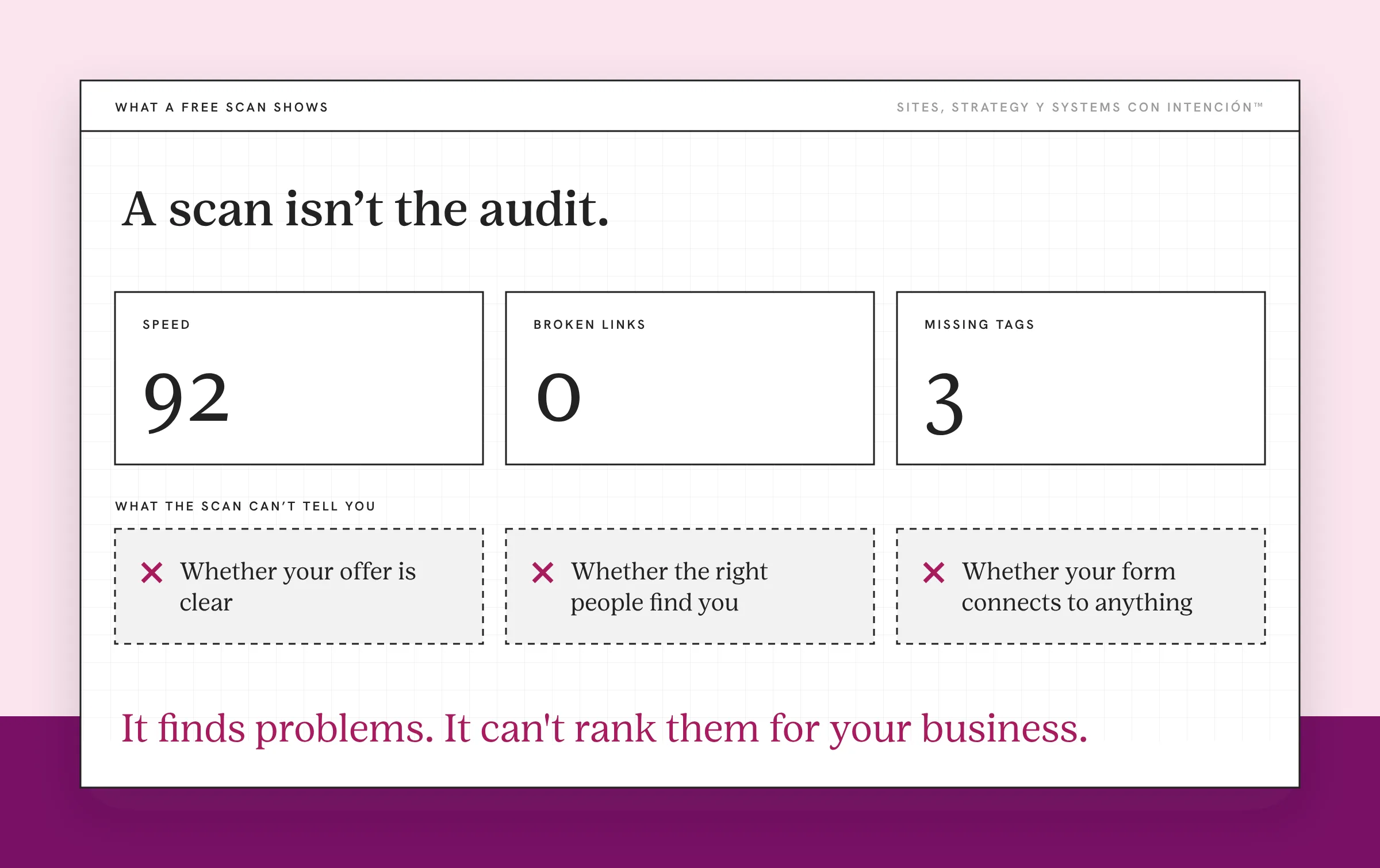
Only running a free scan. A free tool like Google's PageSpeed Insights can catch slow pages and other free scanners flag broken links and missing tags. It can't tell you whether your offer is clear, whether the right people find you or whether your form connects to anything. A scan is a starting point. Ay, mija, it isn't the audit.
Checking looks before function. It's tempting to start with colors and fonts. When I review a site, I start with whether it works. Load time, navigation, the hero and the homepage as a whole usually come early, then SEO, the individual pages and the UX, with the order shifting to follow what's broken. Last, whether any of it is connected to anything else. A site has to work before it's worth making prettier.
No baseline numbers. If you don't write down your inquiries, traffic sources and drop-off points before you fix anything, you'll never know what your fixes did to your conversion rate. Pull the website metrics that matter before you touch a single page.
Those three are real. Diache, they're also the ones everyone already warns you about.
What Is the Mistake That Costs You the Most?
It's treating every issue as equal and then doing nothing with the list.
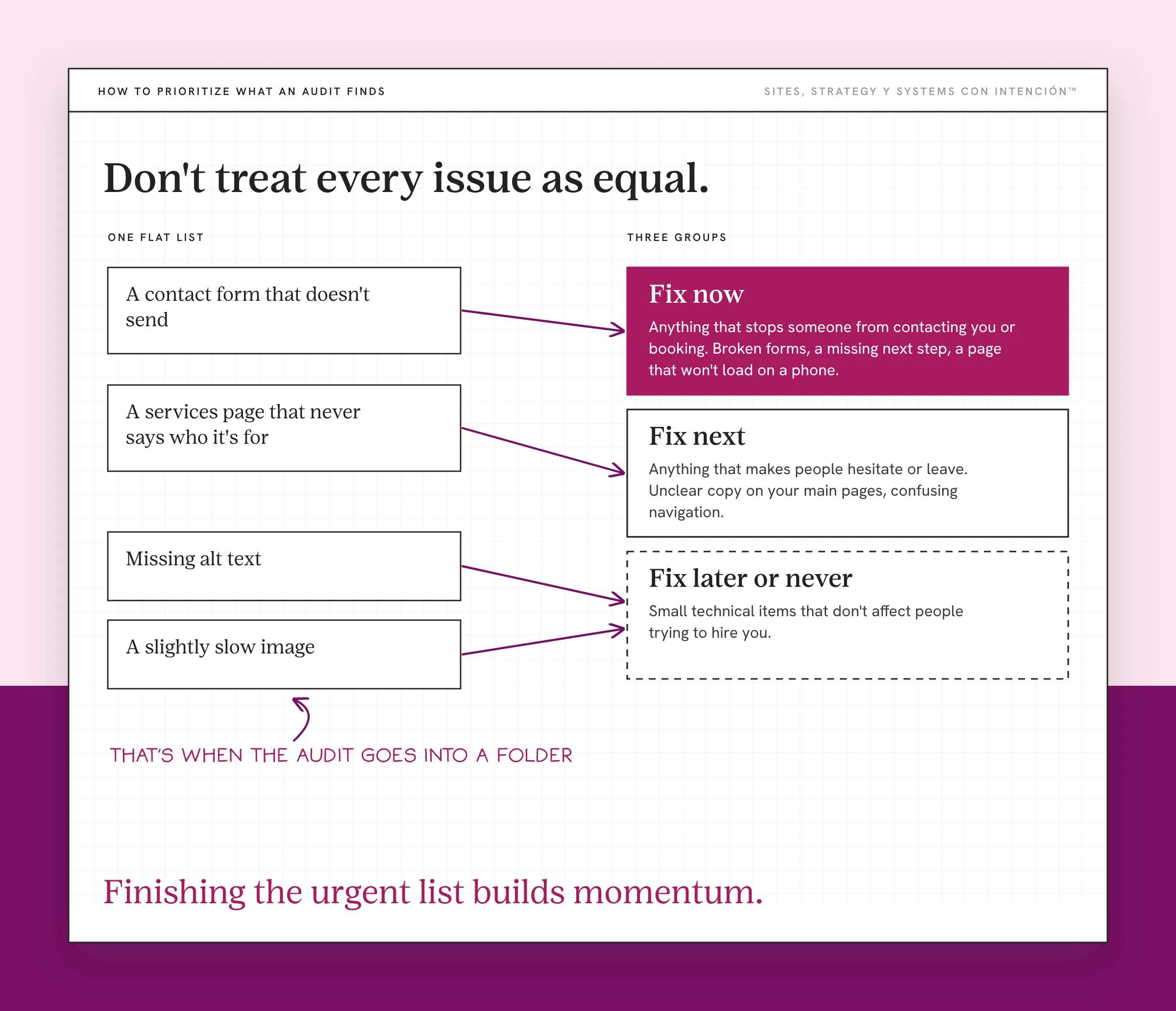
Audits produce long lists. Fifty items, a hundred, sometimes more. Qué lío, missing alt text sits next to a contact form that doesn't send. A slightly slow image sits next to a services page that never says who it's for. When everything is on one flat list with no priority, it all looks equally urgent and equally overwhelming.
That's when the audit goes into a folder. The list is too big to start, so nobody starts. The planner stays on the shelf. Bendito, all that work to find the problems and none of them get fixed, so you keep paying the cost of ignoring small website problems.
I've walked into this with a client. They had an older audit sitting in a folder. It was a long list with no priority and nobody knew where to start.
These two mistakes feed each other. No priority makes the list feel impossible. An impossible list never gets acted on. The site that needed the audit stays the same site.
How Do You Prioritize What an Audit Finds?
Start with your goals and what success looks like for your site. What's an issue for one business is nothing for another. Oye, a slow blog post might not matter for a referral-based consultant. A broken booking form matters for everyone. The same finding gets a different priority depending on what the site is supposed to do.
In the audits I've run, once the site works, the strategic conversion layer has usually been the highest-impact part. Technical fixes on their own rarely move conversion. So the items that touch how people decide to contact you go to the top of the list.
Then sort the list into three groups:
- Fix now. Anything that stops someone from contacting you or booking. Broken forms, a missing next step, a page that won't load on a phone.
- Fix next. Anything that makes people hesitate or leave. Unclear copy on your main pages, confusing navigation, slow pages on the path to an inquiry.
- Fix later or never. Small technical items that don't affect people trying to hire you. Some of these never need fixing at all.
A list of five things you'll fix this month is worth more than a list of a hundred you'll fix someday, pues. If you're not sure what an audit should cover in the first place, start with what a website audit is.
How Do You Make Sure the Audit Turns Into Action?
Put the "fix now" items on your calendar this week. Give each one a date and an owner, even if the owner is you.

Fix one group before you start the next. Créeme, finishing the urgent list builds momentum. Jumping around keeps you busy with small changes that don't make a difference.
Measure again after the fixes. Compare your inquiries and drop-off points with the baseline you pulled before. That's how you know the audit worked and whether the site is converting now. That loop of measure, fix and measure again is most of what website strategy looks like day to day.
Decide what you're not fixing. Crossing items off on purpose is still progress. Eso sí, write down why, so you don't revisit the same item next year.
If the "fix now" list keeps growing no matter what you do, the question may be bigger than an audit. Website audit vs redesign walks through how to tell. And if you want a quick gut check first, would you fire your website gives you four questions to start with.
What to Do This Week
- Find your last audit or scan. If you don't have one, run a free scan as a starting point.
- Pull your baseline numbers. Inquiries, where they came from and where people drop off.
- Sort the findings into fix now, fix next and fix later.
- Schedule the first "fix now" item. Put it on your calendar with a date.
That planner on the shelf had everything it needed. It just never got opened on a Monday. Your audit is the same. The findings are already in the folder. The first fix with a date next to it is what changes your site.
Key Takeaways
- The common website audit mistakes are relying on a free scan, checking looks before function and skipping baseline numbers.
- The mistake that costs the most is treating every issue as equal, which turns the audit into a list nobody acts on.
- Prioritize by your goals. What's urgent for one business can be nothing for another.
- Sort findings into fix now, fix next and fix later, then schedule the first fix this week.
I have the audit list. Which fix do I do first?
Answer five questions and share your link. In about 10 minutes you get a personalized read on your site, your marketing and your backend, plus the first move worth making. $47 and no call.
Want more like this in your inbox? Off the Clock is my week-ish newsletter about websites, systems and burnout-free business.
Frequently Asked Questions
What are the most common website audit mistakes?
Relying only on a free automated scan, focusing on design before function and skipping baseline numbers are the ones people hear about most. The costliest one is treating every finding as equally important. A long list with no priority is hard to start on, so the audit often ends without any fixes.
How do I prioritize fixes after a website audit?
Start with your goals, since the same issue matters more or less depending on what your site is for. Fix anything that stops people from contacting or booking you first. Then fix what makes them hesitate or leave. Leave small technical items that don't affect potential clients for later.
Why didn't my website audit change anything?
It's likely the findings were never sorted or scheduled. A long, flat list feels overwhelming, so nothing gets started. Pick the few items that block inquiries, put them on your calendar and measure your numbers again after you fix them.
Is a free website audit tool enough?
A free tool is a useful starting point for technical issues like broken links, missing tags and slow pages. It can't judge whether your message is clear, whether you attract the right people or whether your forms and systems connect. Those need a person looking at the site with your goals in mind.
How often should I audit my website?
A light check every month on inquiries, broken pages and forms catches problems early. A performance review every few months looks for what to improve. A full audit makes sense once a year. Do one sooner when your offers, audience or goals change. What matters most is that each audit ends with a short, scheduled list of fixes.
About the Author



