Walk your own block in Queens long enough and you stop seeing it. The bodega awning, the cracked step, the sign that's been half lit for a year all disappear because you pass them every day. Then a friend visits from out of town and points out three things you've never noticed.
Your website works the same way. You've seen it so many times that you can't really see it anymore. Learning how to review your own website objectively means walking it like a tourist. In 12+ years and 100+ sites worked on, I've learned the owner usually has the hardest time seeing what's wrong with a site, because they already know what everything is supposed to say.
The Short Answer
To review your own website objectively, stop reading it as the owner. Open it on your phone like a first-time visitor, follow the same checklist every time, test every step a client would take and write down every moment you hesitate. Then ask someone who doesn't know your business to try it. Fix what made both of you stumble.
If You're Reading This Because It's Your Site
Reading more isn't the hard part. La Jugada is $47 and it tells you which layer this is actually sitting in.
Get it, $47Why Can't You See Your Own Website Clearly?
You know too much. You know what your services include, what your jargon means and where the contact page is. Your visitors don't. When you read your homepage, your brain fills in every gap without asking you first.
That's why a site can feel clear to you and confusing to everyone else. The gaps are invisible from the inside. It's the same reason your website might be losing you clients without you noticing.
The title of this post says $250K founder for a reason. Once a business is at that stage, there's too much riding on the site to judge it by feel. Reviewing it on purpose, with a process, is how you take the guesswork out of choosing between an audit and a redesign.
How Do You Review Your Website as a Stranger?
Pretend you've never heard of you. Ay, mija, it's harder than it sounds, so set it up on purpose:

- Use your phone. It's easy to review your site on the laptop you built it on. Your visitors probably found you on a phone.
- Use a private browser window. No automatic logins, no leftover cookies, nothing that makes it feel familiar.
- Start where a stranger starts. Search your business name or open your link from Instagram, the way a new person would.
- Give yourself a task. Find out what you offer, what it costs and how to book. Time how long it takes.
- Write down every hesitation. Every time you squint, scroll back or wonder where to click, note it. Those are the moments your visitors leave.
One rule, eso sí: don't fix anything while you're reviewing. Collect everything first and fix it after.
What Should You Check and in What Order?
A checklist keeps you honest. Without one, you drift toward the parts you like looking at.
When I review a site, my usual order goes like this: load time, navigation, the hero, the homepage as a whole, SEO, technical and on-page. Then the individual pages, the UX and whether it works functionally at all. And last, whether any of it is connected to anything else.
That order matters. It checks whether the site works before it checks whether the site is pretty. If a page loads slowly or the menu confuses people, nothing below it gets a fair chance. Google's free PageSpeed Insights gives you a quick read on load time.
Across 100+ sites in 12+ years, I've made most of the mistakes that order is built to catch. That's the only reason I can spot them quickly now.
For your own review, use those steps as your checklist and start with anything that's clearly broken. Use the same checklist each quarter so you can compare. If you want a quick reference for what to measure while you're there, the website metrics that matter covers the numbers side. A repeatable review like this is the most practical website strategy habit I know.
How Do You Get an Outside Opinion?
Your own review gets you most of the way. Someone else's eyes get you the rest.
Pick a person who doesn't know your business well, ideally someone like your ideal client. Hand them your phone and give them a task: find out what you do and book a call. Then stay quiet, like the facilitator in a moderated usability test. Don't explain, don't point, don't rescue them unless they're completely stuck.
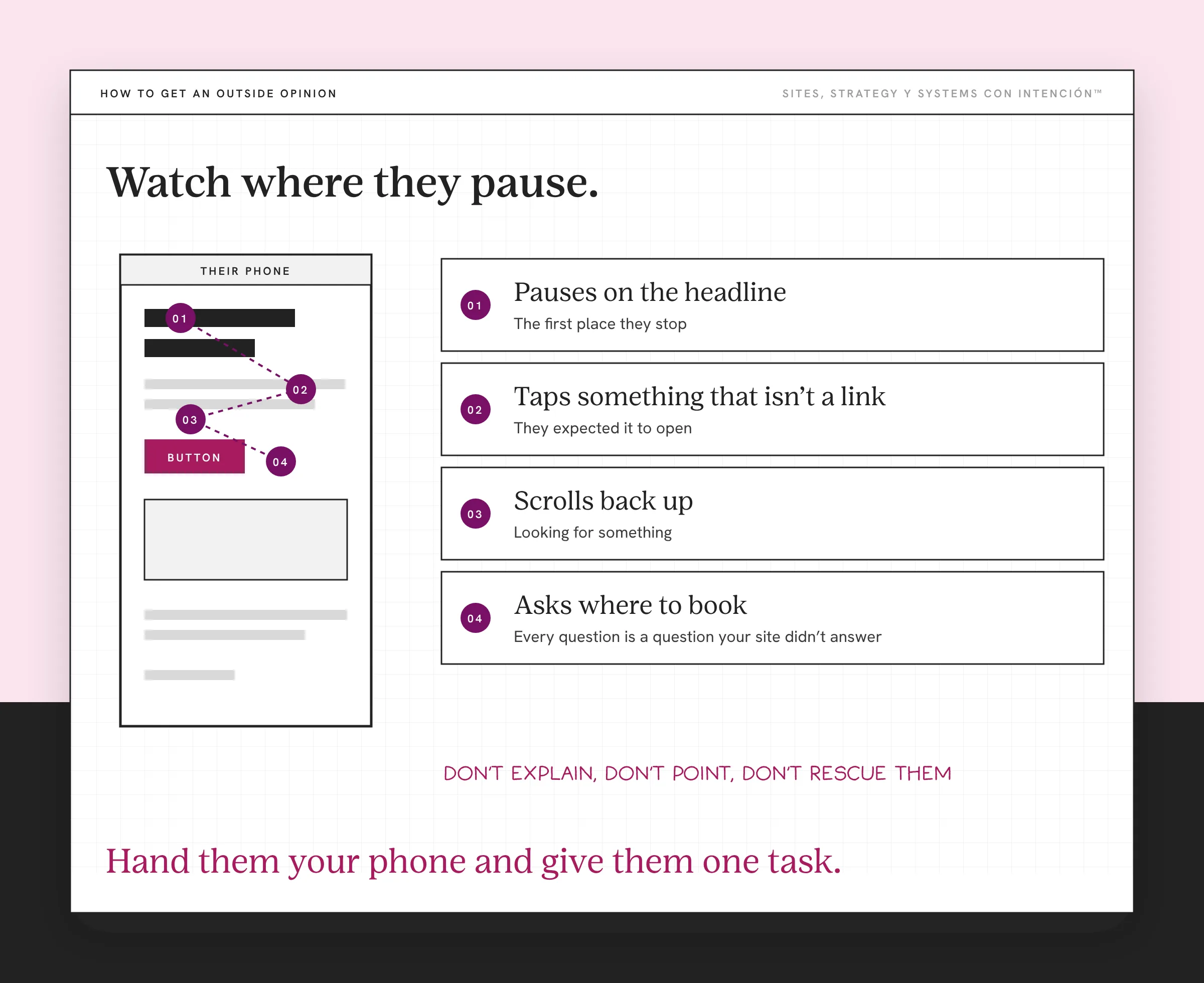
Watch where they pause, what they tap and what they ask. It's visitor behavior you'd never see in a traffic report. Every question they ask is a question your site didn't answer. It's the same idea as the tío test in the anatomy of a high-converting website. Diache, it's humbling every time, which is exactly why it works.
What Do You Do With What You Find?
You'll end up with a list. Don't try to fix it all at once.
Sort it into three groups: things that are broken, things that confuse people and things that just bug you. Fix the broken things first, like a form that doesn't send or a page that won't load on mobile. Those small website problems cost more the longer you ignore them. Then fix what confused people. Leave the personal preferences for last.
If the list is long and you're not sure where to start, the common website audit mistakes explains why prioritizing matters more than finding everything. And if the list makes you wonder whether the site is worth keeping at all, give it the performance review you'd give an employee.
Put the next review on your calendar before you close the tab, pues.

What to Do This Week
- Open your site on your phone in a private window and try to book a call as a stranger.
- Write down every hesitation without fixing anything yet.
- Ask one person who doesn't know your business to do the same task while you watch.
- Sort what you found into broken, confusing and personal preference, then fix the broken things first.
Reviewing your own site gets easier every time you do it. Keep the same order, borrow a stranger's eyes and work the list from broken to merely annoying.
Key Takeaways
- You can't see your own site clearly because you already know what it's supposed to say.
- Review it as a stranger: phone, private window, a real task and notes on every hesitation.
- Follow the same order every time, checking whether it works before whether it looks good.
- Get one outside person to try it and watch where they get stuck.
- Fix broken things first, then confusing things, then preferences.
I can't see my own site clearly anymore. Where do I start?
Answer a few questions about your site, your content and your backend and La Digital Rueda shows you where the pressure is. It's free and takes about two minutes.
Want more like this in your inbox? Off the Clock is my week-ish newsletter about websites, systems and burnout-free business.
Frequently Asked Questions
How do I review my own website objectively?
Treat it like a stranger would. Open it on your phone in a private browser window, start from a search or a social link and give yourself a task like booking a call. Write down every moment you hesitate. Then ask someone who doesn't know your business to try the same task while you watch without helping.
What should I check when reviewing my website?
Start with whether it works: load time, navigation and the top of your homepage. Then check that each page explains your offer clearly, that the copy speaks to your client and that forms and booking tools work on a phone. Last, check whether the site connects to the rest of your business, like your email and booking systems.
How do I see my website the way visitors do?
Remove the things that make it familiar. Use a different device, a private window and an entry point you don't normally use. Then watch a real person use it without helping them. Their questions and pauses show you what your visitors experience.
How often should I review my own website?
A quick check once a month, a fuller review every few months and a full audit once a year is a good starting point for most service businesses. Don't wait for the next one when your offers, prices or audience change. Using the same checklist each time makes it easy to see what improved and what slipped.
Should I hire someone to review my website?
It helps when you're too close to the site or you've already fixed the obvious things. An outside reviewer brings fresh eyes and a set process. Start with your own review and one outside person first, since that alone catches many of the problems visitors run into.
About the Author