
Every February, the Mets report to spring training and run the same drills they ran the year before. Nobody calls it boring. It works because it's the same every time, so by Opening Day nobody's thinking about the drills anymore.
That's how to read website analytics without feeling overwhelmed: a short routine you run the same way every month until it stops feeling scary. In 12+ years and 100+ sites worked on, I've seen that the owners who get something out of their analytics look at the same few things on a schedule.
The Short Answer
To read website analytics without feeling overwhelmed, stop opening the dashboard to see what's there. Pick a monthly date, aim for about 20 minutes and answer the same four questions in the same order: how many inquiries came in, where they came from, which pages they read and what changed. Write the answers down and pick one next step.
If You're Reading This Because It's Your Site
Reading more isn't the hard part. La Jugada is $47 and it tells you which layer this is actually sitting in.
Get it, $47Why Do Website Analytics Feel So Overwhelming?
Because the tools are built for everyone. Google Analytics 4 has to serve online stores, apps, publishers and huge companies, so it shows hundreds of reports and metrics. A service business only needs a few of them. When you open it with no plan, you're looking at a cockpit when all you wanted was the speedometer.
There's also the stress of checking your analytics when you feel like you should already know this. Ay, mija, nobody was born knowing what an engaged session is. The overwhelm comes from opening the tool with no question in mind and trying to make sense of everything at once.
What Should You Look at First?
Start with a question before you open anything.
My answer to "what matters most" is always that it depends on your goals, because what is an issue for one business is nothing for another. So before you open anything, finish this sentence: "This month I want my site to bring in ___." For most service businesses, that blank is inquiries, booked calls or email sign-ups, which is how you tell if your site is actually converting.
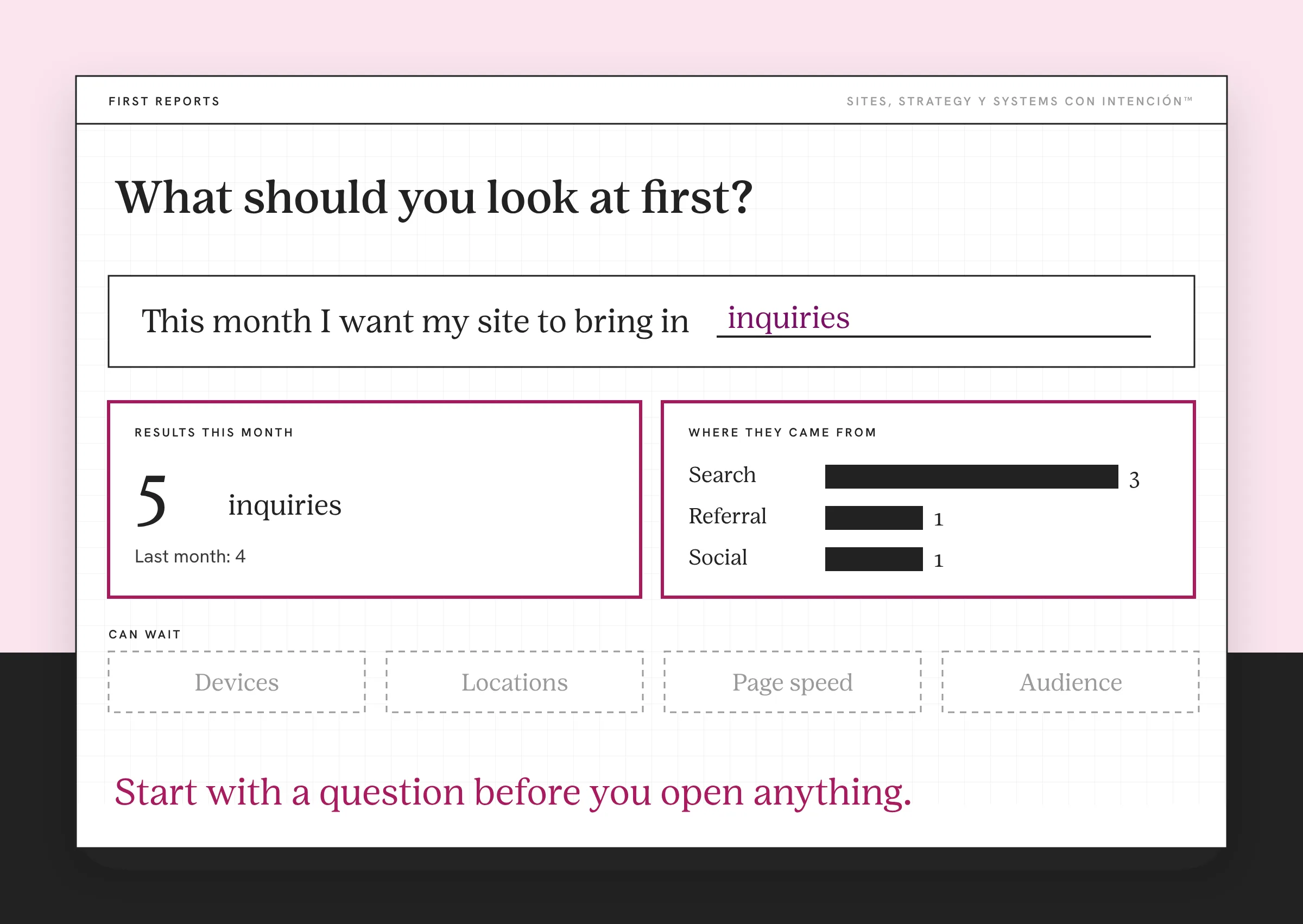
That one answer decides which of the many Google Analytics metrics you look at. Everything else can wait. If you want the full list of what's worth watching, the website metrics that matter covers the four that tell you whether your site is working.
What Is the 20-Minute Monthly Routine?
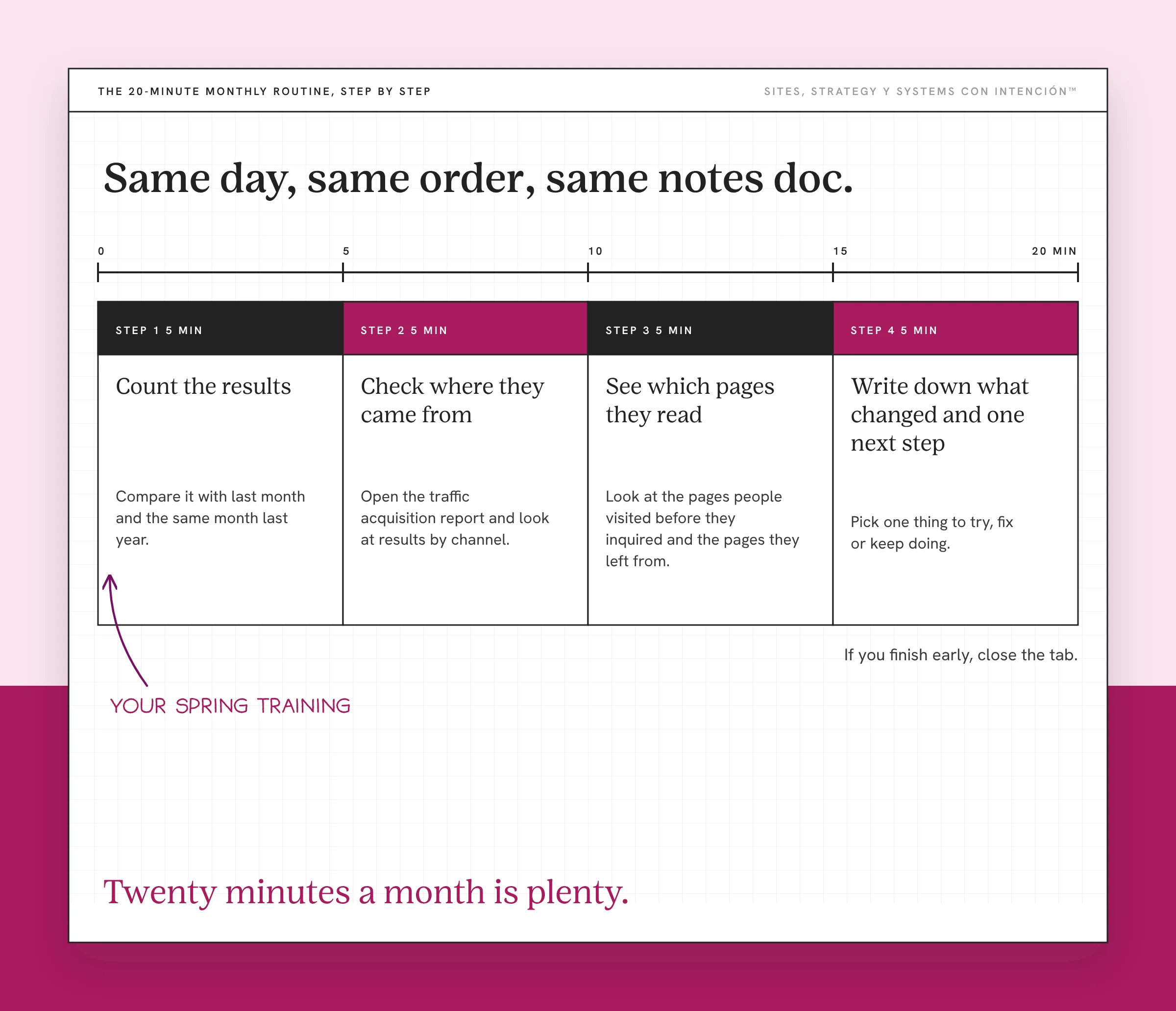
Run it on the same day each month, in the same order, with the same notes doc. Think of it as your spring training.
- Count the results (5 minutes). How many inquiries, bookings or sign-ups came through the site this month? Compare it with last month and the same month last year. If you haven't set these up yet, start with what to track in GA4 for a service business.
- Check where they came from (5 minutes). Open the traffic acquisition report and look at results by channel. Which ones sent people who reached out?
- See which pages they read (5 minutes). Look at the pages people visited before they inquired and the pages they left from, especially the ones with a high bounce rate.
- Write down what changed and one next step (5 minutes). Did anything go up or down? Do you know why? Pick one thing to try, fix or keep doing.
Monthly reviews are part of my client work too. A regional tourism and hospitality business needed to grow revenue 20%. My team and I led their ongoing web and SEO work with monthly performance audits and keyword research built in.
That's it. Pues, if you finish early, close the tab. The routine is there so the same few things get checked every month and the changes jump out at you. Twenty minutes a month is plenty for the analytics side of website strategy.
How Do You Keep the Numbers From Stressing You Out?
Look at the trend. One slow week doesn't mean much, while three slow months might. Compare month to month.
Write it down. A simple doc with the date, the four answers and your next step turns scary numbers into a record. After a few months, you'll see your own patterns and the panic goes away.
Look with a question. Opening analytics "just to check" is how people spiral. Open it with your four questions and close it when they're answered.
Use what you find. I've said it on my podcast and I'll keep saying it: please don't just collect data. Use it. Eso sí, one small change per month is enough. That's how the routine pays off.
If the numbers feel like they're telling you something but you can't tell what, understanding visitor behavior on your website goes deeper into what people do once they arrive.
What Can You Skip?
Most of it. Real-time reports, demographic breakdowns, technology reports and custom explorations can all wait until a specific question sends you there. So can daily check-ins and online benchmarks for what a good website conversion rate is, at least until you've got your own baseline.

Chacho, skipping keeps the routine short enough that you'll do it again next month. And if you've been avoiding the numbers entirely, running a business without looking at the numbers explains what that costs and where to start.
What to Do This Week
- Put a recurring monthly date on your calendar for your analytics routine.
- Finish the sentence "This month I want my site to bring in ___."
- Create a notes doc with four headings: results, sources, pages and next step.
- Run the routine once, even if your numbers are small.
Key Takeaways
- Analytics feels overwhelming because the tools are built for everyone and most reports don't apply to a service business.
- Start with a question before you open the dashboard.
- Run the same 20-minute routine every month: results, where they came from, pages and one next step.
- Look at trends, write things down and skip what doesn't answer your question.
Okay, so where do I even start with my numbers?
Start with where the pressure is. La Digital Rueda takes about two minutes and asks a few questions about your site, your content and your backend. It's free.
Want more like this in your inbox? Off the Clock is my week-ish newsletter about websites, systems and burnout-free business.
Frequently Asked Questions
How do I read my website analytics?
Start with one question, like how many inquiries your site brought in this month. Then check where those people came from and which pages they read before reaching out. Compare each number with the previous month. Write down what changed and pick one thing to act on. Ignore the rest until a specific question needs it.
Why does Google Analytics feel so overwhelming?
Google Analytics is built for every kind of website, so it shows far more reports and metrics than a service business needs. Opening it without a plan means trying to make sense of everything at once. A short routine with the same questions each month narrows it to the few numbers that matter for you.
How often should I look at my website analytics?
Monthly works for most service businesses. Daily numbers swing for reasons that have nothing to do with your site, so checking too often creates stress without insight. Look more often during a launch or paid campaign, when you need to react quickly. Otherwise, stick to the same date each month.
Which Google Analytics metrics should a beginner track?
Start with the actions that matter to your business, like form submissions and booked calls, set up as key events. Then look at which channels sent those people and which pages they visited first. Those cover most of what a service business needs before you explore anything else.
What should I do with what I find in my analytics?
Pick one small change per month based on what you noticed. If a page brings in inquiries, make it easier to find. If a channel sends visitors who never reach out, look at why before spending more time there. Then check next month to see whether the change helped.
About the Author