Every list of signs you need a website redesign is a list about the site. Dated design, bad on a phone, slow to load, a competitor whose site looks better.
Across 100+ sites worked on over 12+ years, those are rarely the ones that turn out to matter most. Plenty of the sites I watch fail look completely fine. The real signs show up somewhere the checklists never look: in how you behave around your own website.
Blaming Mercury retrograde is easy, because it explains everything and asks nothing of you. The signs on this list are the other kind. Each one you can check against something that happened this week, which is less fun and considerably more useful.
One distinction before the signs. A refresh updates the surface: copy, photos, some styling, inside the experience you already have. A redesign changes the presentation, the experience and often the organization, while the foundation underneath stays viable. Replacing that foundation is a rebuild.
The Short Answer
The signs worth acting on are behavioral rather than visual. Your discovery calls start from zero every time. The platform underneath has stopped being supported. And you've stopped updating it, because changing anything is unpleasant. None of those is about how the site looks, which is why they get missed.
If You're Reading This Because It's Your Site
Reading more isn't the hard part. La Jugada is $47 and it tells you which layer this is actually sitting in.
Get it, $47What Makes a Sign Worth Acting On?
A sign isn't a prescription. Every one of these tells you something isn't working and where to look. What the right fix is, a refresh, a redesign, a rebuild or something that isn't the website at all, comes from diagnosis rather than from the sign itself. Anyone selling you a redesign off a symptom is skipping the middle step.
Sign One: Your Discovery Calls Start From Zero
You get on a call and spend the first twenty minutes explaining what you do, who you work with and roughly how it works. Every time. With everyone.
That's the clearest sign on this list and the one no checklist mentions, because it doesn't happen on your website. It happens on Zoom, where it's easy to mistake for normal.
A site doing its job answers those things before anyone books. When it doesn't, the explaining has to happen somewhere, so it happens in your calendar, one of the quieter roads to business owner burnout. Count how many minutes of your last three calls covered something the site could have covered. That number is the sign.
That number moves when the site takes those questions on. On one client site, the repeat questions from their DMs and discovery calls went onto the pages themselves. After that their calls ran shorter and went better. People booked faster too.
There's a related version: inquiries arrive from people who were never a fit. When the site isn't filtering, you are.
This one isn't automatically structural. Sometimes the pricing shape, the process and the qualifying detail were never written down anywhere, which is a content fix. It becomes a redesign question when there's nowhere sensible for that information to live.
Sign Two: The Platform Will Not Let You Change Anything
Speed and styling aren't the issue here. The thing is stuck.
The theme is unsupported. Or updating it breaks the layout, so nobody updates it. The plugins have been abandoned by the people who made them. The version of everything underneath is old enough that touching one part risks another.
This one comes with a deadline you didn't set, like the end-of-support dates for PHP versions. It's also the sign most likely to become an emergency. A site nobody can safely update falls further behind on its own, whether or not anyone is looking at it. And the web keeps moving underneath it. Google indexes and ranks using the mobile version of your content. So a build frozen years ago is being judged on whatever it does on a phone today. Nobody can change that now.
I've hit this wall in all four of its shapes. A new page the build won't take. Ordinary edits that risk knocking the layout over. An update that breaks the site when you run it and leaves it unmaintained when you don't. Something functional the business needs, like a booking flow or a payment step, that the platform has no way to add. Y a veces no se puede actualizar el sitio para nada.
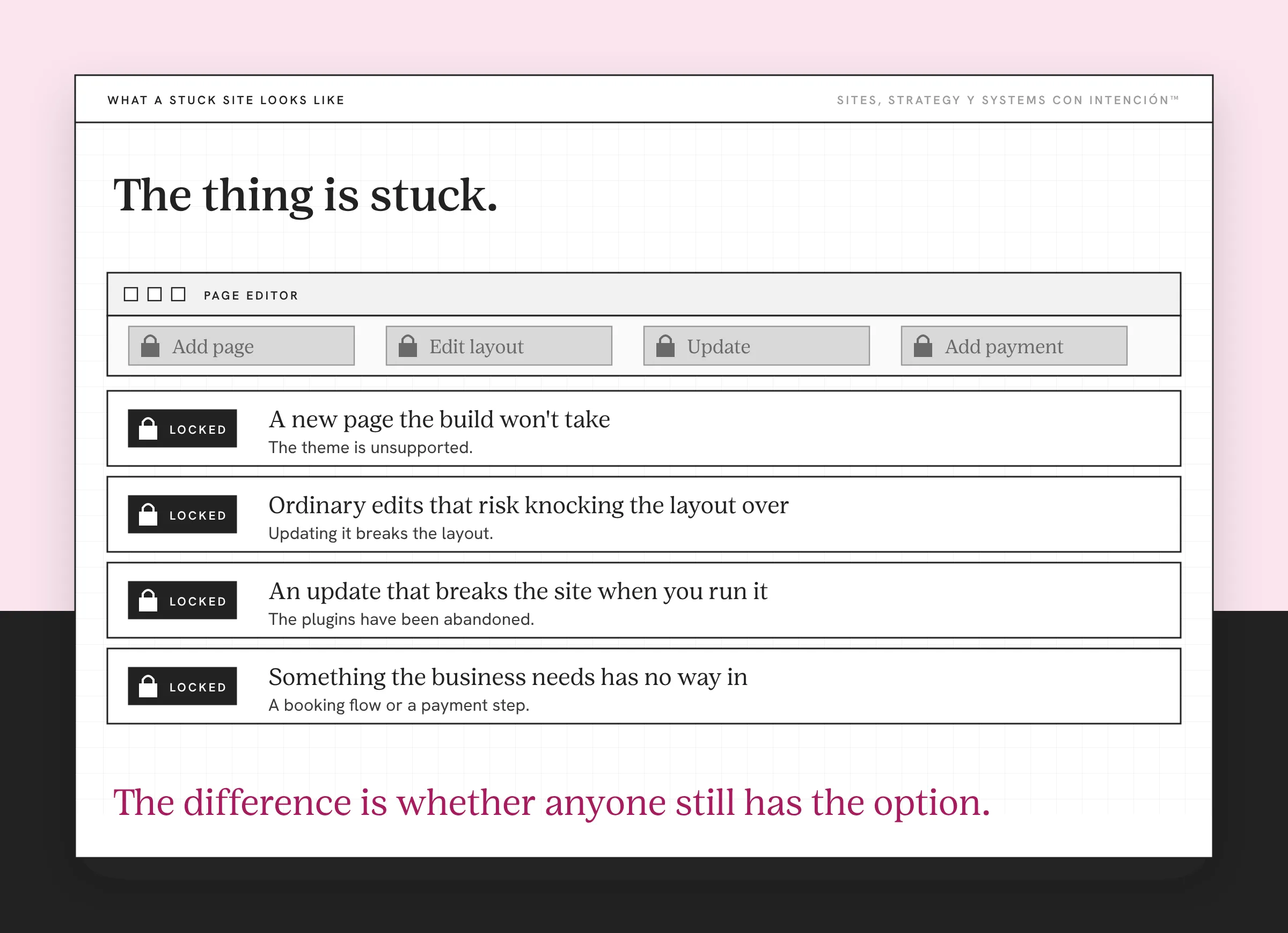
The one I keep coming back to was that fourth shape. The business could no longer update its own site. Updating had stopped being something that could be done at all, so every change anybody wanted stayed exactly where it was. The site kept aging the whole time that was true.
That is worth separating from the sign below it. A site nobody can update and a site nobody bothers to update look identical from outside. The difference is whether anyone still has the option.
When that's where we are, two things follow. The first is that every change costs several times what it should. A week goes by on a small edit and the owner never sees why. Y así se va el tiempo.
The second is that this is the strongest reason on the list to ask whether the foundation itself has to be replaced. A platform that can't be updated can't be worked inside. Whether that lands on a redesign or a rebuild is a separate decision. It turns on whether the problems can be fixed separately from each other.
When it lands on replacing the foundation, the change shows up in how the business runs and not only in the pages. That's a structural rebuild. Telling those two apart early is one of the most useful things website strategy can do for your budget.
Sign Three: You Have Stopped Updating It
This is the quiet one and it's the one I trust most, so ojo with this section.
New offers never made it on. The blog stopped. There's a page you've been meaning to fix for a year. Not because you're lazy or too busy, but because changing anything on that site is unpleasant enough that you keep choosing not to. Es una señal muy honesta, porque nobody decides this. It just happens. Then one day you notice the last real change was eighteen months ago, so how often you redesign your site got decided by avoidance.
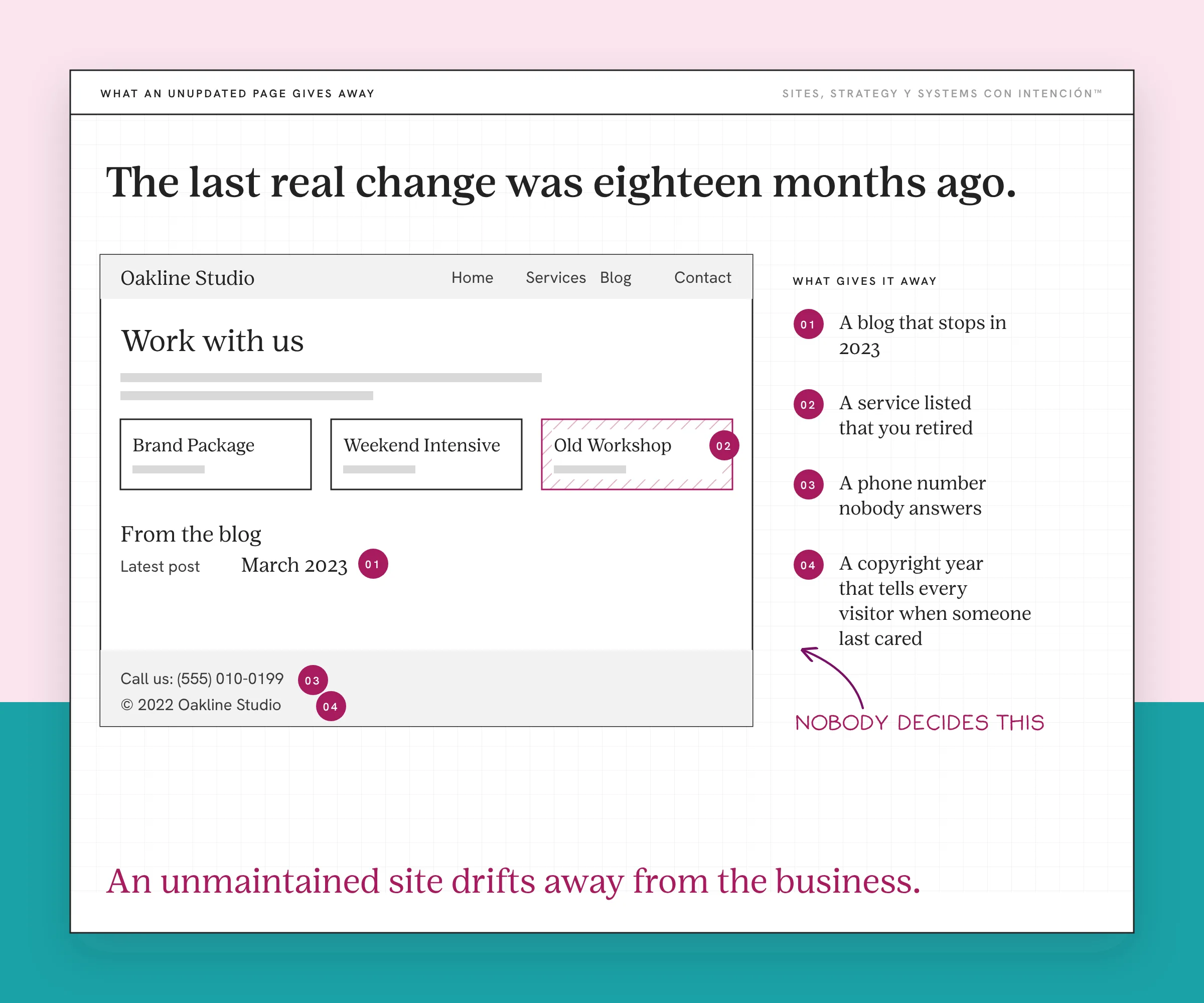
Worth separating this from something it looks like. This is avoidance of editing. Avoidance of sharing the link is a different thing, usually a sign your site doesn't reflect your brand. One means the site is hard to work with. The other means you aren't proud of it, which has a different fix.
When a site becomes something its owner avoids, it stops being maintained. An unmaintained site drifts away from the business a little more every quarter. Visitors notice too. Stanford's web credibility guidelines note that people give more credibility to sites that show they've been recently updated.
Which Signs Belong to Other Conversations?
Three more come up constantly. Each is a real signal that points somewhere more specific than "redesign."
You hesitate before sending the link. That's a confidence question, the kind that comes with being embarrassed by your website. It usually means an outdated site is presenting a version of you that has expired.
The site describes a business you no longer run. Old offers, old positioning, an audience you've moved past. Often a content problem rather than a structural one, which means it can be a refresh. Worth checking before anyone quotes you for a rebuild, because what a redesign costs depends on what it has to touch.
It looks fine and generates nothing. When the pages never ask for anything, that's a site that was never built to collect leads or sell. Redesigning only the look produces a better-looking site with the same result. If the pages are right and the site still isn't converting, that's its own diagnosis.
How Do You Tell a Redesign Sign From a Refresh Sign?
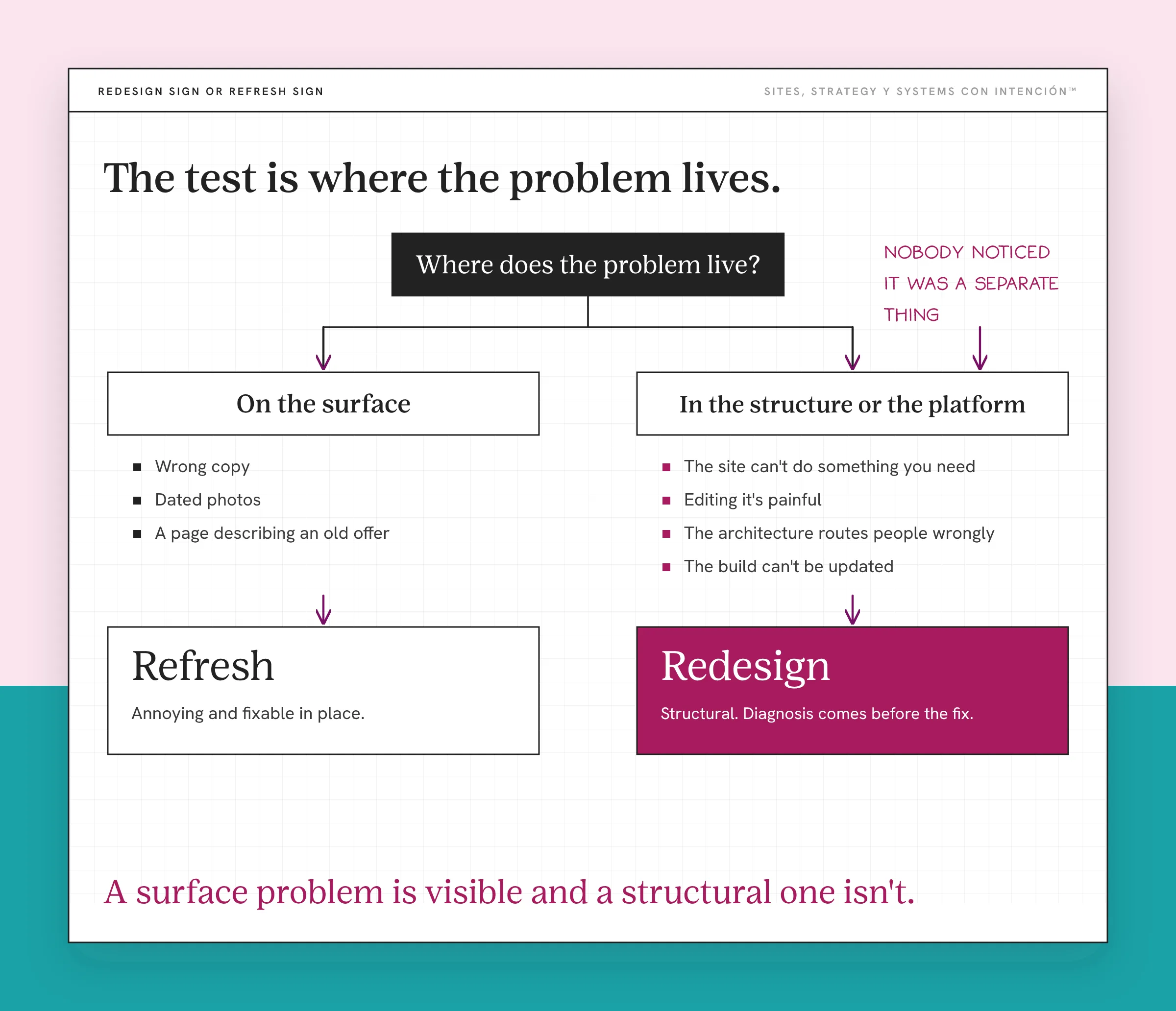
The test is where the problem lives.
If it's on the surface, it's a refresh. Wrong copy, dated photos, a page describing an old offer. Mira, annoying and fixable in place.
If it's in the structure or the platform, it's a redesign. The site can't do something you need, editing it is painful, the architecture routes people wrongly, the build can't be updated.
And the reason people get this wrong in the expensive direction: a surface problem is visible and a structural one isn't. So the dated photo gets fixed and the reason nobody can find your services page doesn't, because nobody noticed it was a separate thing.
Key Takeaways
- The signs that matter are behavioral. Most checklists list the wrong things.
- Discovery calls starting from zero means the site isn't answering what it should. You pay for that in minutes.
- A platform that can't be safely updated sets its own deadline and often points at a rebuild, once you've checked what it actually limits.
- Having stopped updating the site is the most honest sign of all, because nobody ever decides to do it.
- Surface problems are refreshes. Structure and platform problems are redesigns. Surface problems are the ones you can see, which is why they get fixed first.
So do I actually need a redesign or something else?
La Digital Rueda asks a few questions about your site, your content and your backend. In about two minutes it shows you where the pressure is so you can see whether the site is really the problem. It's free.
And if you would rather have this sort of thing arrive in your inbox, Off the Clock is where I write about building something that keeps working while you aren't at your desk.
Frequently Asked Questions
What are the signs you need a website redesign?
The ones worth acting on are behavioral. Discovery calls that start from zero, a platform that can't be safely updated, having stopped updating the site because changing it is unpleasant. Visual signs like dated design or a competitor's nicer site are the ones every checklist names. In what I've seen they're also the ones that predict failure least reliably.
What is the difference between a website redesign and a refresh?
A refresh updates the surface inside the existing build: copy, photos, styling. A redesign changes how the site looks, works and is organized while the foundation stays. A rebuild replaces the foundation. The test is where the problem lives. Surface problems are refreshes. Structural problems are redesigns. Platform problems usually point at a rebuild. The second kind is harder to see.
My website looks outdated. Do I need a redesign?
Not necessarily, since looking dated and failing are different conditions. Plenty of dated sites work fine while plenty of current-looking ones don't. If it describes your business accurately, holds the work you need it to do, sits on a supported platform, then the look is a preference.
How do I know if it is the platform?
Try to make a small change, then ask what it's running on. Editing one page successfully tells you only that page is editable, so check whether the theme and plugins are still supported and still being updated. If the theme can't be updated, plugins have been abandoned, everyone is nervous about touching it, the platform has already become the constraint. It won't improve on its own.
Do I need a redesign or just better copy?
If the problem is what the pages say, that's copy, so it's a refresh. Better words on the pages you already have is the cheapest useful thing you can do. If the problem is which pages exist, what order people meet them in, what the site can't do at all, no amount of rewriting fixes it. The test is whether you could solve it by editing text in place.
What are the signs you need a new website instead of a redesign?
The signs you need a new website are the same three read one level down: calls that start from zero because the site can't hold what you sell now, a platform that won't let you change that, a person who has stopped trying without ever deciding to. A redesign works inside what is already there. So when the things that need fixing can't be separated from each other, you're replacing the site, which is a different question than this one and the right one to ask once you've counted your signs.
How often should I be checking for these?
Twice a year is what I do. It takes about ten minutes. Ask whether the site still describes the business you're running, whether there's anything you need it to do that it can't, whether the platform is still supported. If all three are fine, the age of the site doesn't matter.
About the Author