Every SEO article you've read this year mentions topic clusters, usually right before it tells you to build a 10,000-word pillar page and map forty keywords in a spreadsheet. If you've already got a blog, it's easy to read that and feel like you skipped a step everyone else took.
You probably didn't. If you've written more than a handful of posts about what you do, some of them already belong together. They just don't know it yet.
After 12+ years and 100+ sites worked on, my answer when someone asks what a topic cluster is stays the same: it's a group of posts. The work is in how they connect.
The Short Answer
A topic cluster is a group of blog posts built around one subject. One main post covers the big question and smaller posts each answer a narrower piece of it, then link back to the main one. That structure shows Google you've covered the subject in depth and it gives readers somewhere to go next.
If You're Reading This Because It's Your Site
Reading more isn't the hard part. La Jugada is $47 and it tells you which layer this is actually sitting in.
Get it, $47What Is a Topic Cluster?
A topic cluster is one main post plus the smaller posts around it. The main post, which most guides call the pillar, takes the broad question your buyers ask. Each smaller post, sometimes called a cluster page, answers one narrower piece of that question. Every smaller post links back to the main one and the main one links out to each of them.
HubSpot, which popularized the term, describes it as a broad pillar page linked to a set of focused cluster pages, with links from each cluster page back to its pillar. That's the whole model.
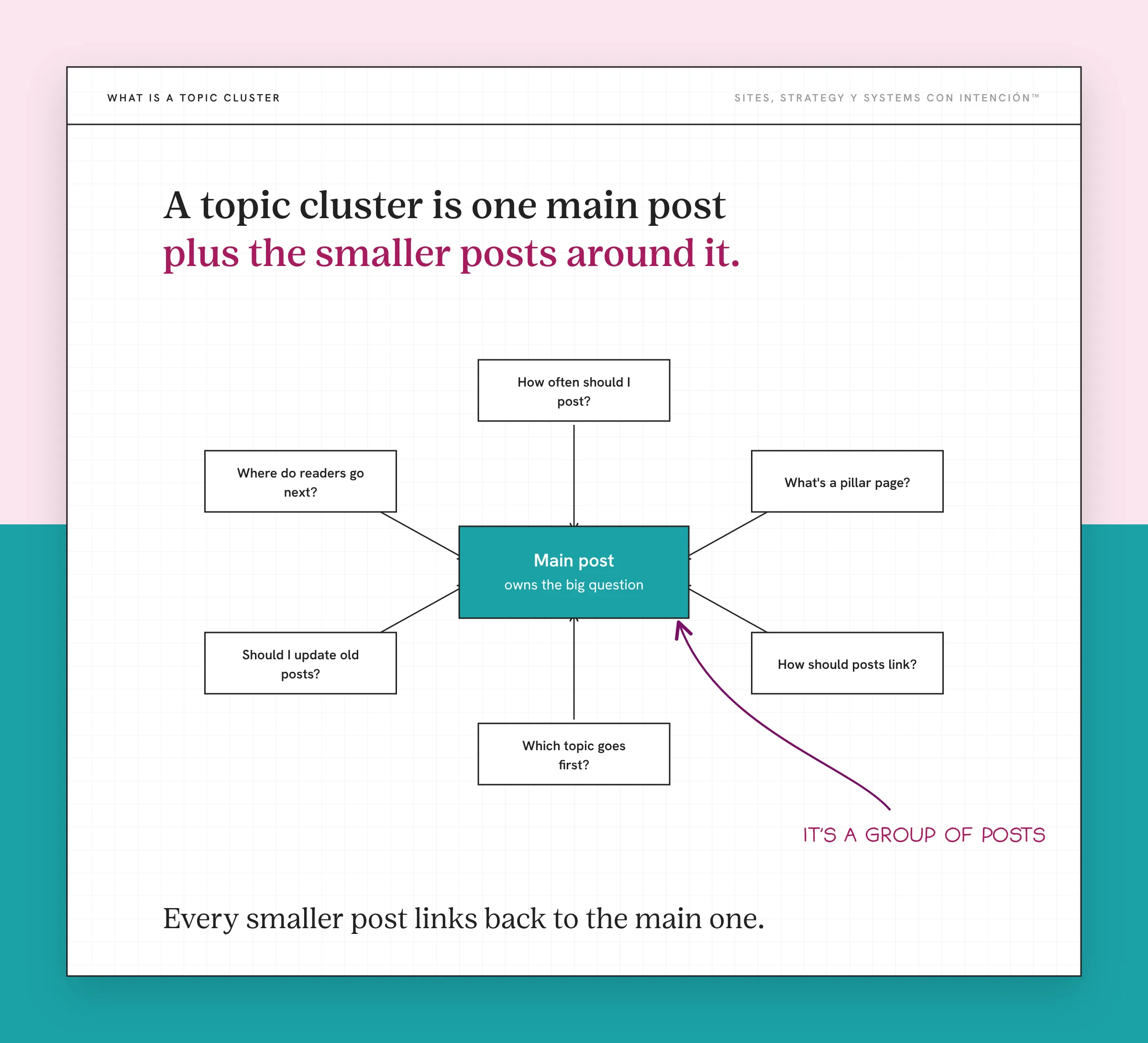
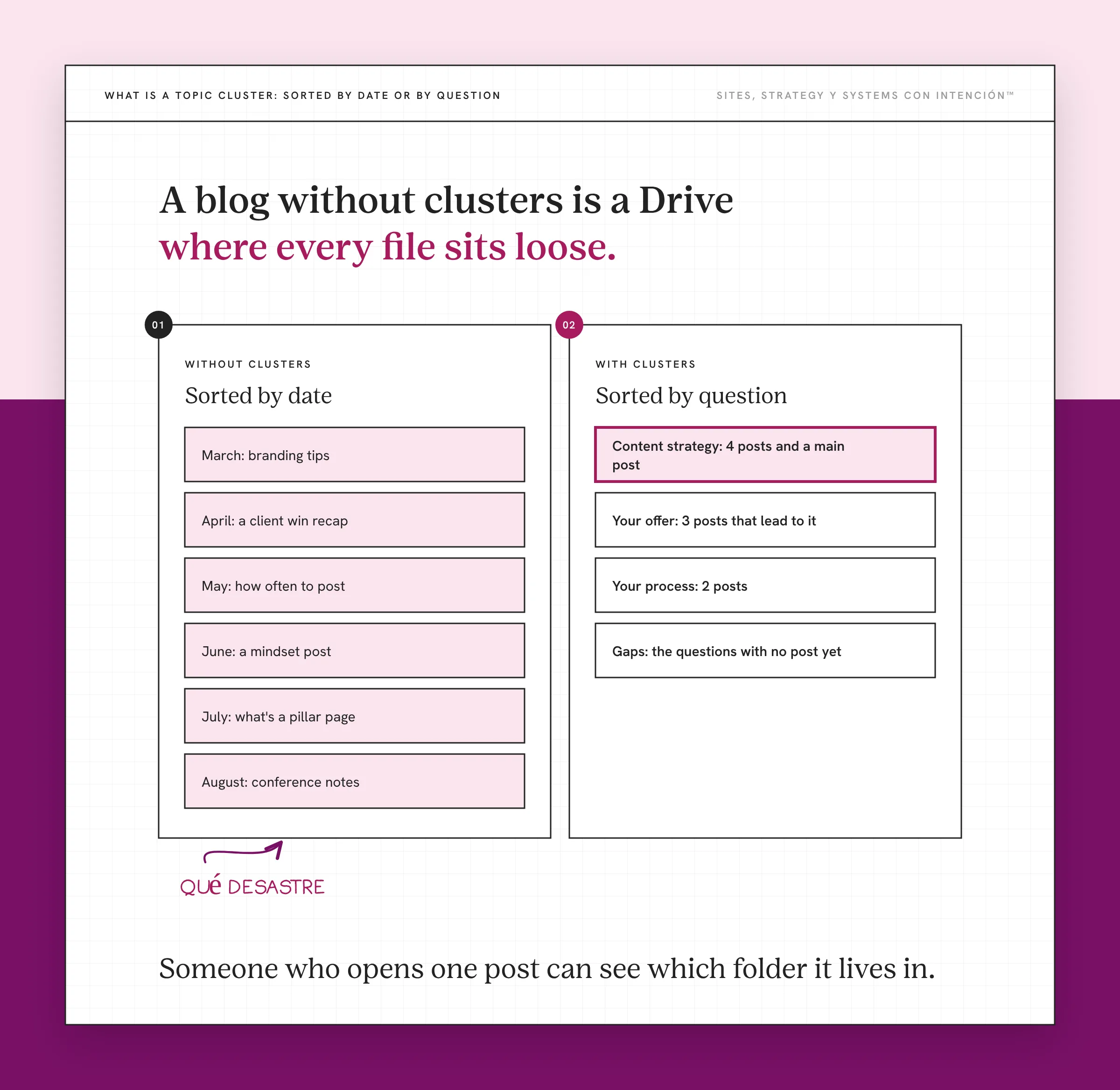
Think about the Google Drive folder you use every day. There's one main folder with the client's name on it and subfolders inside for contracts, invoices and assets. You never wonder where the signed contract went, because the folder tells you. A topic cluster does that for a blog. Someone who opens one post can see which folder it lives in and what else is in there.
A blog without clusters is a Drive where every file sits loose in My Drive, sorted by date. Everything's technically there. Good luck finding the invoice from March, qué desastre.
How Does a Topic Cluster Help Your Rankings?
Clusters help in three ways and none of them is a trick.
Google can see you cover the whole subject. One post on a subject is a page. Eight connected posts on different parts of it look like a site that knows the subject. The links between them are how Google finds the pages and understands they belong together, which is the job an internal linking strategy does.
Your posts stop competing with each other. When every post owns one question, you don't end up with three posts fighting over the same search. That fight is one of the quieter reasons publishing every week doesn't build authority on its own.
Readers keep going. Someone who lands on a smaller post sees the main one and the posts beside it. One visit turns into three pages. A reader who's read three of your posts reads your service page differently than someone who found you five minutes ago.
A cluster can't promise a ranking, but it gives every post you write a better shot than it would've had alone.
What Did Sorting My Own Blog Into Clusters Show Me?
When I rebuilt my own site this year, I sorted every blog post I had into clusters before anything moved over. Three things happened and only one of them was the one I expected.
The gaps showed up. Once posts were grouped by topic, some groups were thick and some had two posts with a hole in the middle. I could see exactly which questions my readers were asking that I hadn't answered yet. That list became what I wrote next, which beats staring at a blank content calendar, ya tú sabes.
Every post got a job. A post in a cluster knows who it reports to. It links up to the main post, across to its neighbors and out to the offer that cluster leads to. Posts that had been sitting alone for years finally had a reason to be there, y eso me encantó.
Readers got a way to browse. Each cluster has its own hub page on the site now. Someone interested in content strategy can browse content strategy. Before, they got a feed sorted by whatever I'd published most recently.
None of that needed new posts first. It needed the posts I already had, sorted.
Do You Need a Giant Pillar Page?
Most topic cluster guides say the main post has to be enormous. Ten thousand words, every subtopic covered, a table of contents longer than most blog posts. Ay, por favor.
For a service business that's overkill, nena. A page that long tries to answer everything the smaller posts are supposed to answer, so it ends up competing with its own cluster. And almost nobody reads all of it.
The main post's job is to own the big question and send people to the smaller ones. Sometimes that's a strong regular post. Sometimes it's a hub page that frames the topic in a few paragraphs and lists the posts underneath. On my site, the main post for this cluster is a regular-length piece on building a content ecosystem from what you already have and a hub page does the routing.
How Do You Build Your First Topic Cluster?
Start with what's already published, because you're sorting before you're writing.
- List every post you have. Title and URL is enough. A spreadsheet works, so does a notes app.
- Group them by the question a buyer would ask. Skip the categories you set up years ago. Ask what someone who'd hire you would type into Google, then put the posts that answer pieces of that question together.
- Start with the group closest to what you sell. That's the cluster most likely to turn a reader into a lead.
- Pick the main post. It's the one that answers the broad question best. If none of them does, there's your first post to write.
- Name the gaps. Which smaller questions have no post yet? Pull them from the questions your buyers actually ask before you go hunting for keywords.
- Link it up. Every smaller post links to the main one. The main one links to every smaller post. Add one link to the offer the cluster leads to.
- Fix before you add. Older posts in the cluster may need updating before they deserve a link. Optimizing a blog post you already have usually comes before writing a new one.

Then write the gaps, one at a time, in an order where each new post has somewhere to link. Poquito a poco, the folder fills in.
If your blog covers four or five subjects, that's four or five clusters eventually. Build one first. The second one goes faster, because by then you can see how the information across your site fits together.
Key Takeaways
- A topic cluster is a group of posts: one main post on the big question and smaller posts that each answer one piece of it.
- The smaller posts link back to the main post and the main post links out to them.
- Clusters help rankings by showing Google you cover a subject, by keeping your posts from competing and by keeping readers on your site longer.
- You don't need a 10,000-word pillar page. The main post just has to own the big question and route people.
- Build your first cluster from posts you already have before you write anything new.
I have a pile of posts. Which ones even go together?
It's a few questions about your site, your content and your backend. In about two minutes you'll see where the pressure is before you start sorting anything.
If you'd like posts like this sent to you, Off the Clock is my newsletter on sites, strategy y systems.
Frequently Asked Questions
What is a topic cluster in simple terms?
It's a group of blog posts about one subject that link to each other. One post covers the big question, like what content strategy is. The others each cover a smaller question inside it, like how often to post. Every small post links to the big one, so a reader or a search engine can see how the pieces fit together.
What are the main parts of a topic cluster?
There are three. The main post, often called the pillar, covers the broad topic. The cluster posts each answer one narrower question about it. The internal links connect them: each cluster post links up to the main one and the main one links down to each cluster post. Many clusters also link out to the service or offer the topic leads to.
How many posts should a topic cluster have?
There's no fixed number. A cluster needs enough posts to cover the questions your buyers really ask about the subject, which might be five or it might be fifteen. Start with the posts you already have, find the gaps and fill them in order. A cluster with six strong, connected posts does more than one with twenty thin ones.
Are topic clusters still relevant?
Yes. Search engines still use links to find pages and understand how they relate. Readers still want somewhere useful to go after one post. AI search tools pull answers from sites that cover a subject clearly from several angles, which is what a cluster does. The name may go out of style, but the structure underneath it keeps working.
What's the difference between a topic cluster and a pillar page?
A pillar page is one part of a topic cluster. The cluster is the whole group of connected posts. The pillar is the main post in that group, the one that covers the broad question and links to the rest. You can have a pillar page with no cluster around it, but then it's just a long post.
How do topic clusters work for SEO?
They give Google a clear picture of what your site covers. When several posts on one subject link to each other and to one main post, Google can find every page and see how they relate. Each post targets its own question, so your posts aren't splitting the same search between them. Over time, the cluster as a whole builds more authority than any single post would.
Save This One for Later
Pin it to your own board so you can find it when you're ready to fix it.
Save to PinterestAbout the Author